If you’ve been going back and forth between Wix and Squarespace, you’re in good company. These two platforms dominate the beginner-friendly website builder space, and choosing between them isn’t always obvious. Both look great. Both are easy to use. Both are affordable. Here is my honest review on Wix vs. Squarespace and what you need to consider.
So which one wins? The honest answer is that Wix vs Squarespace isn’t really a competition — it’s a question of fit. And the right fit depends entirely on what you need your website to do.
I’ve built real client sites on both platforms over 15 years as a working web designer. Here’s my honest take.
What Is Wix?
Wix is a cloud-based website builder that launched in 2006 with one goal: make website creation accessible to everyone. Today it powers over 200 million websites worldwide and remains the most flexible drag and drop builder on the market.
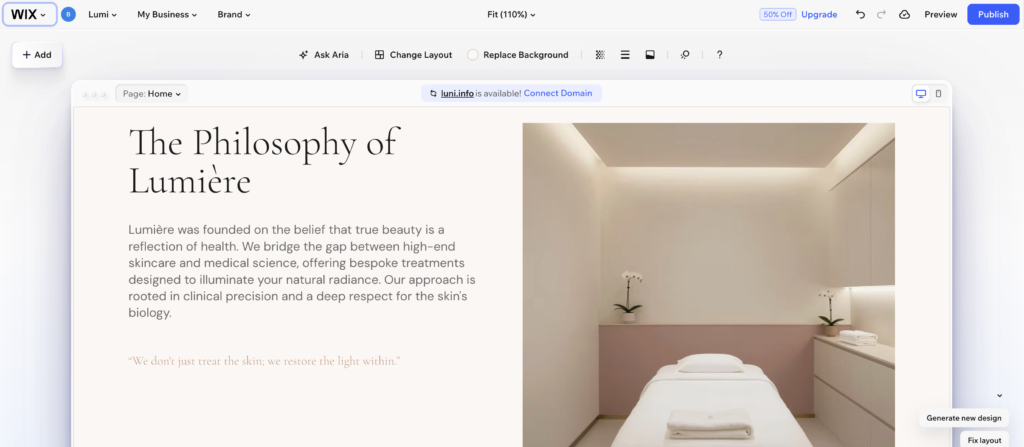
Wix gives you complete freedom over where you place elements on a page. Nothing is locked to a grid. You can move, resize, and layer anything exactly where you want it. For someone who thinks visually, this feels liberating.
Who builds on Wix?
Small business owners, freelancers, local service providers, and anyone who needs a professional website fast. Wix works particularly well for businesses that need built-in tools like booking systems, ecommerce, and email marketing alongside their website.
What Is Squarespace?
Squarespace launched in 2004 and has always positioned itself as the design-forward alternative. Where Wix prioritizes flexibility, Squarespace prioritizes polish. Every template is beautiful straight out of the box, and the platform’s structured editor keeps everything looking intentional.
Squarespace has a slightly steeper learning curve than Wix but not by much. The tradeoff is that it’s harder to make a Squarespace site look bad, which matters more than you might think.
Who builds on Squarespace?
Photographers, designers, boutique brands, restaurants, wedding vendors, and creative professionals. Anyone whose business depends on making a strong visual impression will feel at home on Squarespace.
Wix vs Squarespace: Ease of Use
Both platforms are genuinely beginner friendly. However, they take very different approaches to the editing experience.
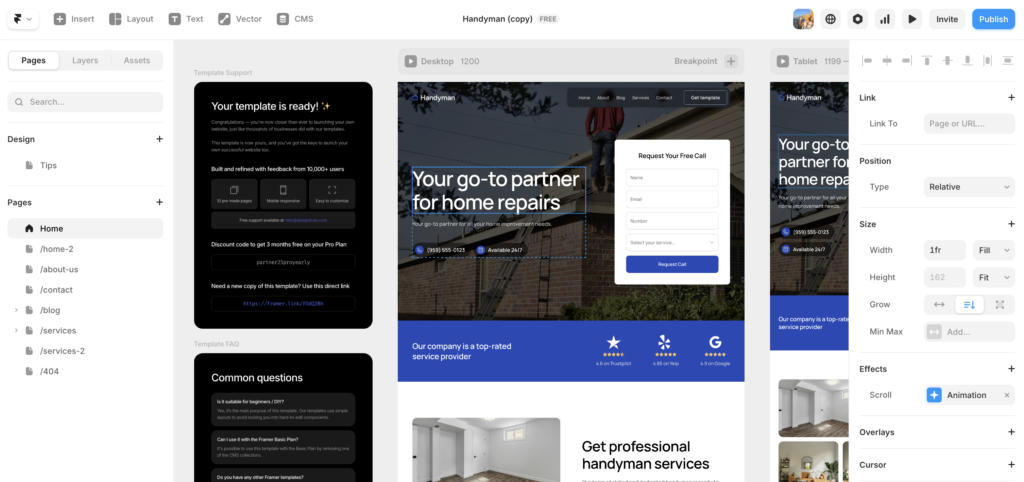
Wix uses a fully open drag and drop canvas. You can place any element anywhere on the page with pixel-level precision. This freedom is great for designers and visual thinkers. For beginners, though, it can feel overwhelming at first. With so many options, it’s easy to end up with a cluttered layout.
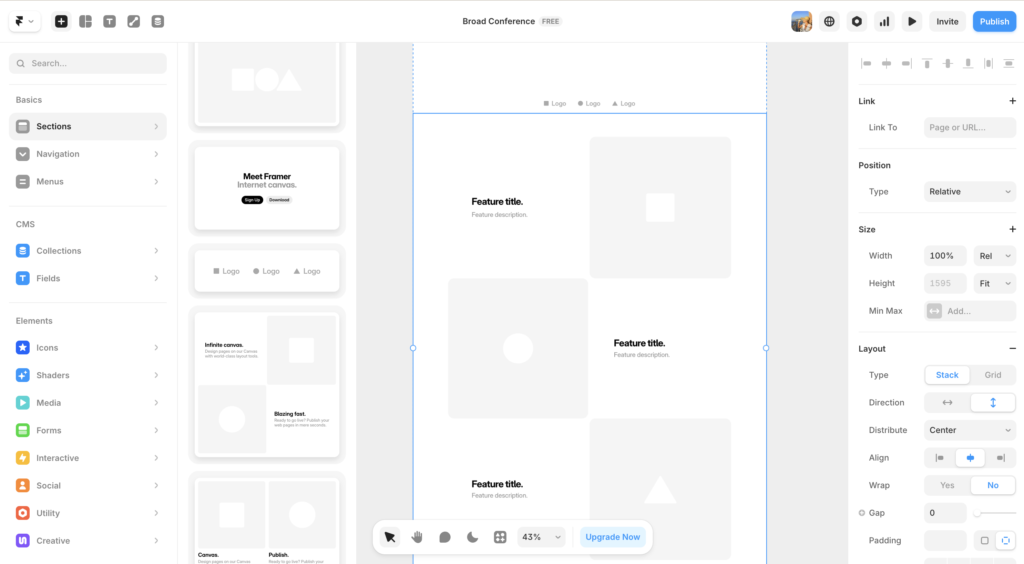
Squarespace uses a section-based editor. You work within defined rows and columns, dropping content blocks into structured sections. This is more restrictive than Wix but also more forgiving. It’s harder to accidentally break your layout.
The verdict on ease of use
Squarespace wins for pure beginners who want guardrails. Wix wins for anyone who wants total creative control from day one. Both platforms offer excellent tutorials and support to help you get started.
Wix vs Squarespace: Design and Templates
This is where the two platforms differ most noticeably.
Wix has over 900 templates across every industry category. The quality varies. Some are excellent, some are dated. The good news is that Wix’s AI website builder can generate a custom starting point based on your business type, which often produces better results than browsing templates manually.
Squarespace has fewer templates, around 140, but the average quality is significantly higher. Every Squarespace template looks like it was designed by a professional studio. The typography is considered, the spacing is generous, and the overall aesthetic is consistently elevated.
The verdict on design
Squarespace wins on design quality. If looking polished and premium matters to your business, Squarespace templates give you a head start that Wix simply can’t match at the same level. That said, a well-customized Wix site can absolutely compete.
Wix vs Squarespace: Features and Functionality
Here’s where Wix pulls ahead significantly.
Wix offers a massive app market with over 300 third-party integrations. You can add booking systems, membership areas, live chat, popups, event management, and much more. For a small business that needs its website to do a lot of things, Wix is far more extensible than Squarespace.
Squarespace keeps things more curated. The built-in features are well designed and work seamlessly together, but the third-party integration options are more limited. If you need a very specific tool that Squarespace doesn’t support natively, you may hit a wall.
Key features comparison
Wix includes a free plan, an AI website builder, over 300 app integrations, built-in booking and ecommerce, email marketing, and a members area. Squarespace includes award-winning templates, built-in blogging, ecommerce, scheduling via Acuity, email campaigns, and analytics.
The verdict on features
Wix wins on raw feature count and flexibility. Squarespace wins on the quality and polish of its built-in tools. If you need lots of integrations, choose Wix. If you want a curated set of tools that work beautifully together, choose Squarespace.
Wix vs Squarespace: SEO
Neither platform is a serious SEO powerhouse compared to WordPress, but both have improved significantly in recent years.
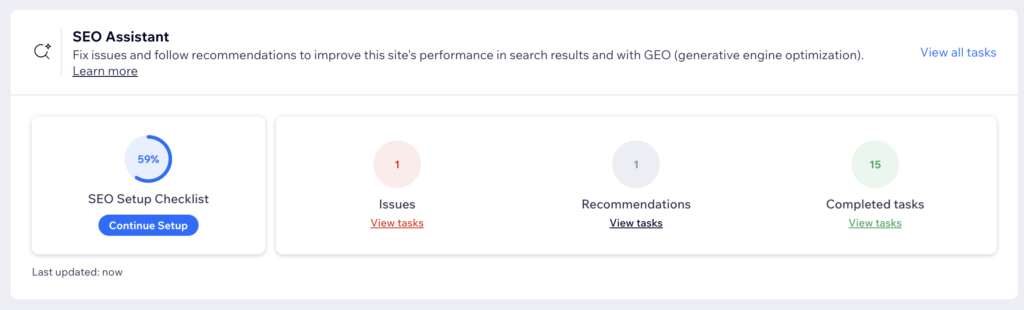
Wix now offers solid SEO tools including customizable meta tags, structured data, automatic sitemaps, and a helpful SEO setup wizard. Additionally, Wix has invested heavily in site speed improvements which directly benefits search rankings.
Squarespace offers clean code, fast loading times, automatic sitemaps, and good control over meta tags and URL structures. However, some advanced SEO customizations require workarounds that WordPress handles natively.
The verdict on SEO
Wix vs Squarespace on SEO is essentially a tie for most small businesses. Both will get the job done. For more advanced SEO needs, consider WordPress instead.
Wix vs Squarespace: Ecommerce
Both platforms support online stores but with different strengths.
Wix ecommerce is flexible and affordable. You can sell physical products, digital downloads, and services. The product management interface is intuitive, and there are plenty of payment options including Wix Payments, PayPal, and Stripe.
Squarespace ecommerce is more polished and design-forward. Product pages look beautiful by default, and the checkout experience is smooth and professional. However, transaction fees apply on lower-tier plans which can add up quickly.
The verdict on ecommerce
For small stores focused on design and brand presentation, Squarespace wins. For larger stores that need more flexibility and lower costs, Wix is the better choice.
Wix vs Squarespace: Pricing
Wix plans start at $17/month for a basic site and go up to $35/month for business plans. There is also a free plan available, though it includes Wix branding and a subdomain which isn’t suitable for a professional business.
Squarespace plans start at $16/month and go up to $49/month for advanced ecommerce. There is no free plan, though a 14-day free trial is available.
The verdict on pricing
Wix is more affordable at entry level, especially with its free plan for testing. Squarespace offers slightly more value at the mid-tier for design-focused businesses. Overall, both are competitively priced for what they offer.
Wix vs Squarespace: Customer Support
Both platforms offer 24/7 customer support, extensive help centers, and active community forums.
Wix offers phone callback support on higher plans, which is a genuine advantage for businesses that prefer talking to a real person. Squarespace is email and live chat only, though response times are generally fast and the support team is knowledgeable.
The verdict on support
Wix wins slightly on support options thanks to phone callback availability. Both platforms have excellent self-service resources that will answer most questions without needing to contact support at all.
Wix vs Squarespace: The Final Verdict
After testing both platforms extensively on real client projects, here is the bottom line.
Choose Wix if:
-
- You want maximum flexibility and creative control
-
- You need a wide range of third-party integrations
-
- You are on a tight budget
-
- You need built-in business tools like booking or membership areas
-
- You want an AI tool to help you get started quickly
Choose Squarespace if:
-
- Design quality is your top priority
-
- You run a creative or visually driven business
-
- You want a polished, professional result with minimal effort
-
- You need a reliable blogging platform
-
- You prefer a curated, focused set of tools over a large app marketplace
For most small businesses, Wix is the more practical choice. It does more, costs less, and gives you room to grow. But if your business lives and dies by how it looks, Squarespace will serve you better out of the box.
Still not sure which one is right for you? Drop a comment below and I’ll give you a personal recommendation based on your specific business.
Frequently Asked Questions: Wix vs Squarespace
Which is easier to use, Wix or Squarespace?
Squarespace is easier for complete beginners who want guardrails. Its section-based editor keeps layouts structured and makes it hard to accidentally break your design. Wix gives you more freedom with a fully open drag-and-drop canvas, which is faster for designers and visual thinkers but can feel overwhelming if you have no web experience. Both are genuinely beginner-friendly; the right choice depends on whether you want flexibility or structure.
Which has better templates, Wix or Squarespace?
Squarespace wins on template quality. Wix has over 900 templates but quality varies widely. Squarespace has around 140 templates and every one looks professionally designed. If starting from a polished, considered template matters to you, Squarespace has the edge. If you want industry-specific options or plan to use the AI builder to generate a starting point, Wix has more range.
Is Wix or Squarespace better for SEO?
Wix has the stronger SEO toolkit. Both platforms let you edit meta titles, descriptions, and URL slugs, but Wix goes further with an SEO Setup Checklist, Google Search Console integration, and more flexible structured data options. Squarespace covers the basics well for most small sites, but for a business where search rankings are a serious priority, Wix is the better platform between the two.
Which is better for ecommerce, Wix or Squarespace?
Wix has the more extensible ecommerce setup, with a large app market that lets you add advanced functionality. Squarespace has a clean, well-designed ecommerce experience that works well for smaller product catalogues. For a simple online shop with strong visual presentation, Squarespace is compelling. For a growing ecommerce operation that needs more flexibility and integrations, Wix scales better.
Which is cheaper, Wix or Squarespace?
They are broadly comparable. Squarespace starts at $16 per month and Wix starts at $17 per month. Both price upward for ecommerce and advanced features. The real cost difference shows up in what you get at each tier, not the headline price. Check both platforms’ current pricing for the specific features your site actually needs before deciding.
Can I switch from Wix to Squarespace or the other way around?
You can, but there is no migration tool between them. Switching means rebuilding your site from scratch on the new platform. Your written content can be transferred manually, but your design, layout, and page structure all need to be recreated. This is one more reason to make the right call upfront rather than planning to switch later.
Disclosure: This article contains affiliate links. If you purchase through our links we may earn a commission at no extra cost to you. This never influences our recommendations. We only suggest tools we would genuinely use ourselves.