This Framer review comes from a working web designer who opened the platform for the very first time with no prior experience. What happened next was genuinely surprising. If you use Figma, you need to read this.
This Framer review starts with an honest admission. I came in with zero experience on the platform and a healthy dose of skepticism. I had heard designers raving about Framer for months. I had also heard the complaints. Too limited for client work. CMS is an afterthought. Not enough control. As a working web designer who lives in Figma every single day, I decided to find out for myself.
What I found was genuinely surprising. Furthermore, it changed how I think about where Framer fits in the wider landscape of web design tools.
TL;DR: The Short Version
Framer is the best website builder available in 2026 for designers who already work in Figma. The interface feels immediately familiar, the output is fast and clean, and the design freedom is exceptional for a no-code platform. The CMS and SEO tools have real limitations, so it is not the right choice for content-heavy sites. For marketing sites, portfolios, and landing pages, this Framer review gives it a strong 4 out of 5.
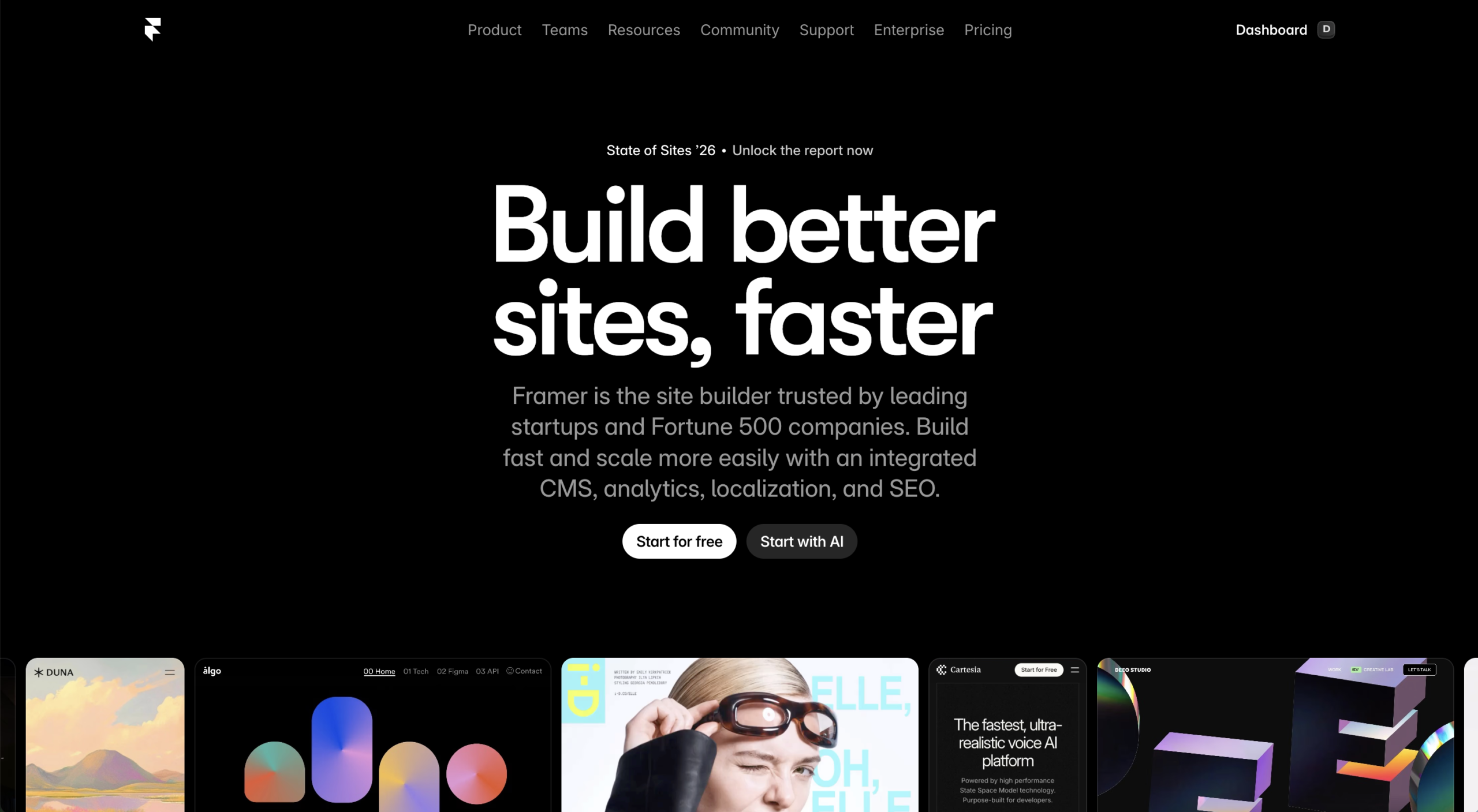
Framer Review: The First Impression
The moment I opened Framer, my first thought was straightforward. This looks exactly like Figma.
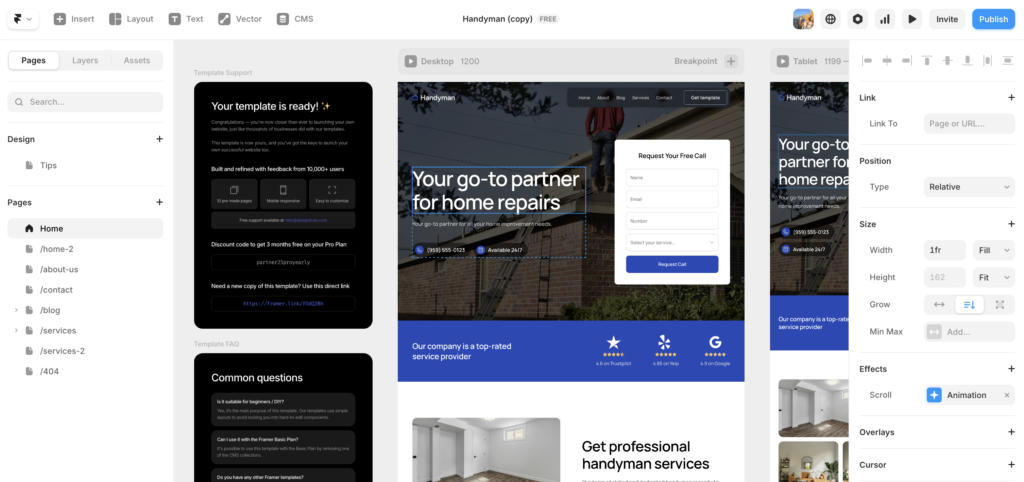
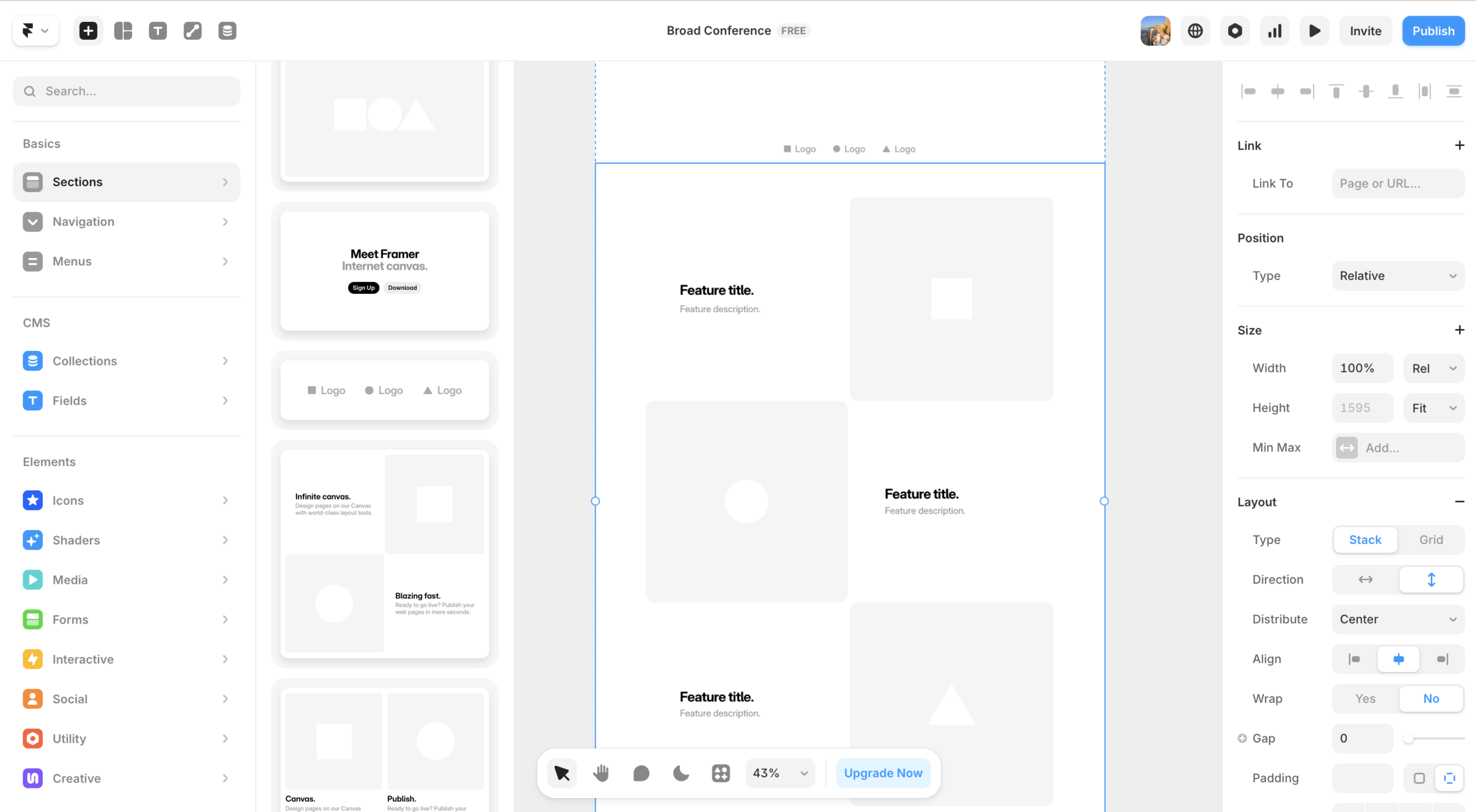
The canvas layout, the layers panel, the way elements are selected and manipulated. All of it felt immediately familiar. For a designer who has spent years working in Figma, this is not a small thing. Most website builders feel like a completely foreign environment when you first open them. Consequently, there is always a period of disorientation before productivity begins.
Framer skips that entirely for Figma users. Instead of spending the first hour trying to figure out where things are, I was actually building within minutes. That alone sets Framer apart from almost every other platform I have tried.
What Makes Framer Feel Different from Day One
Framer kept the design-first DNA that made it popular with designers, then layered on hosting, CMS, SEO tools, and AI features. The result is a platform that feels less like a website builder and more like a design tool that happens to publish to the web. That distinction matters more than it might sound.
Most website builders start from the perspective of a non-technical user who needs guardrails and guidance. Framer starts from the perspective of a designer who already knows what they want to build and needs the tools to execute it without restriction. For designers coming from Figma or Adobe XD, this framing feels natural and liberating.
For any designer who already works in Figma, Framer is the most natural path from design to published website currently available.
Framer Review: Building for the First Time
To put this Framer review to the test properly, I built a homepage from scratch. No templates, no AI generation, just the blank canvas and my own instincts.
The process was fast. Significantly faster than I expected for a first session on a new platform. The artboard system works similarly to Figma, so setting up frames for different screen sizes felt intuitive immediately. Adding elements, adjusting spacing, working with typography. All of it mapped closely enough to my existing Figma workflow that the learning curve felt minimal in the early stages.
Additionally, the alignment and distribution tools behave exactly as you would expect coming from Figma. Selecting multiple elements and distributing them evenly, aligning to the parent frame, adjusting gaps between items. These are the small but constant actions that make up a significant portion of any design session, and Framer handles them all cleanly.
Where the Experience Differs from Figma
There is an important distinction between how Framer and Figma handle element positioning. In Figma, you can drag almost anything anywhere on the canvas with complete freedom. In Framer, styled sections have a different model. To move elements within a styled section, you adjust alignment through the toolbar rather than dragging directly to a new position.
For a pure Figma user, this takes some adjustment. Initially it feels slightly more constrained. However, after spending more time with it, the logic makes sense. Framer is producing real web code as you design, which means it needs to respect the structural constraints that CSS imposes. This is the same tradeoff that Webflow makes, though Framer’s interface presents it in a way that feels more natural for designers.
The bottom line on the building experience: if you know Figma, you will be productive in Framer faster than on any other web platform.
Framer Review: Design Flexibility and Animations
Design flexibility is one of Framer’s genuine strengths and deserves specific attention in any honest Framer review.
Framer gives designers a level of visual control that sits between Webflow and traditional website builders like Wix or Squarespace. You can build custom layouts, work with precise spacing, and control typography in a way that feels natural coming from a design tool background. The output is clean, well-structured code that performs well in the browser.
Where Framer genuinely stands out is animations and interactions. The animation tools are exceptional for a no-code platform. Scroll-triggered animations, hover states, page transitions, and component-level interactions can all be built without writing a single line of code. The results look and feel like custom-developed sites, not template-based ones.
For comparison, achieving the same animation quality in Webflow requires more technical knowledge of how interactions are structured. In Framer, the approach is more visual and more immediately accessible for designers who think in terms of motion and feel rather than code logic.
Framer’s animation and interaction tools are the best available on any no-code platform in 2026.
Framer Review: SEO Capabilities
Before completing this Framer review, I wanted to give an honest assessment of where Framer stands on SEO, since that is a critical consideration for any site that needs to rank in Google.
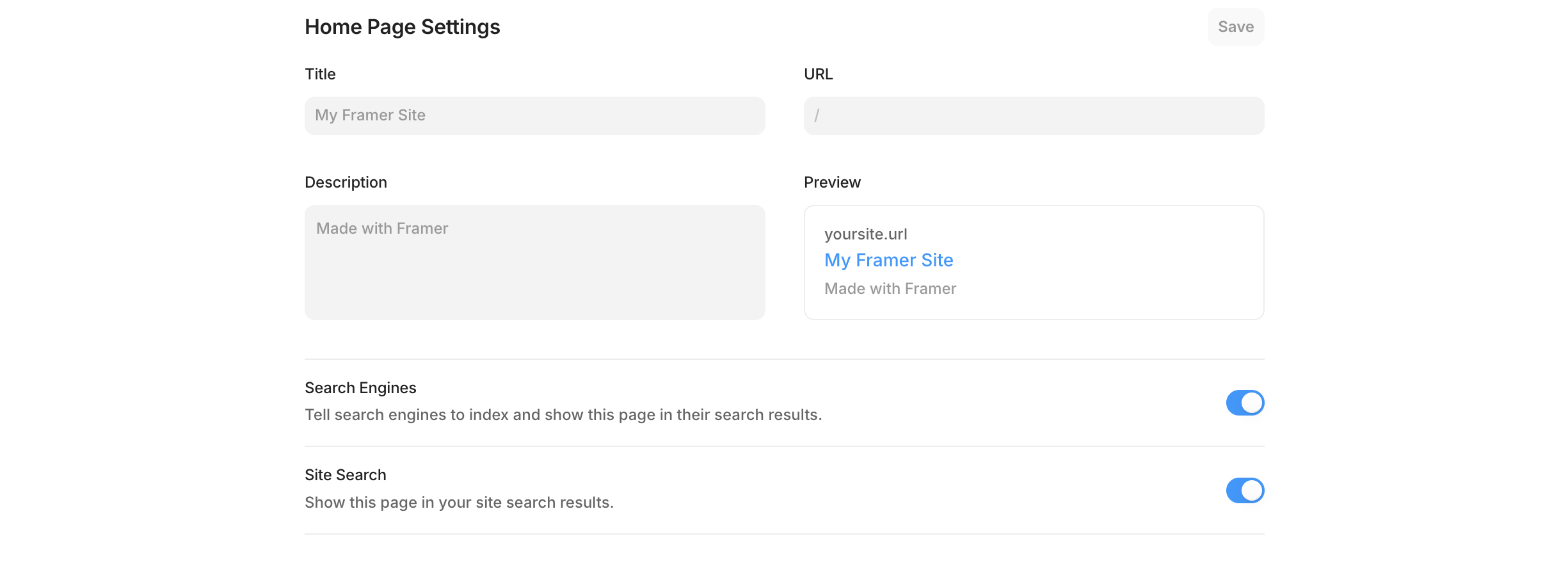
The good news is that Framer includes built-in SEO controls covering the essentials: page-level metadata, title tags, meta descriptions, Open Graph tags, and automatic sitemap generation. Furthermore, Framer sites generally perform very well in Core Web Vitals. The platform delivers static, pre-rendered pages via an edge CDN, which means pages load fast by default without the manual optimization that WordPress and Webflow often require.
The speed advantage is real and worth emphasizing. Framer sites consistently score well on Google’s Core Web Vitals without any additional configuration, which is a meaningful ranking advantage.
Where Framer SEO Falls Short
However, there are meaningful limitations that any designer should understand before choosing Framer for an SEO-heavy project. There is no per-item structured data, meaning you cannot add schema markup such as FAQ, Product, or Article to individual CMS items through the Framer interface. Additionally, there are no native blog features like RSS feeds, categories with pagination, or related post recommendations.
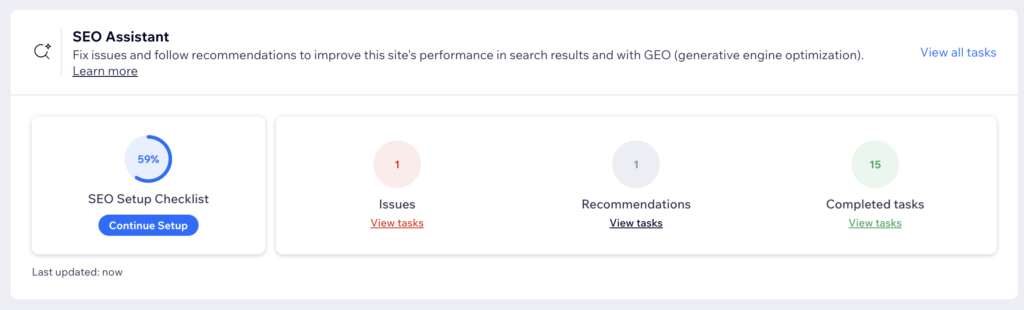
There is also no quick high-level overview of page SEO health in the way that WordPress with a plugin like Rank Math provides. Keeping track of SEO across multiple pages in Framer requires more deliberate manual effort.
The honest summary: Framer is excellent for SEO on marketing sites, landing pages, and portfolios where speed and clean code do most of the work. For content-heavy sites that need advanced SEO tooling and granular optimization controls, WordPress remains the stronger choice by a meaningful margin.
Framer’s SEO is strong for marketing sites but limited for content-heavy publishing projects.
Framer Review: The CMS
The CMS is where this Framer review gets more nuanced, and where first impressions were most mixed.
Framer has a built-in CMS with collections, dynamic pages, rich text fields, and image management, with no plugins or third-party tools required. Collections work like simple databases where you define fields, create entries, and connect them to your design with dynamic content binding.
In practice, the CMS felt like it had been added to Framer rather than built into it from the ground up. It is functional and the core concepts are straightforward once you dig in. However, getting to those concepts requires more exploration than the rest of the interface. For a first-time user, the CMS workflow is not as immediately obvious as the design tools.
CMS Limitations Worth Knowing
The limitations of Framer’s CMS are real and worth being transparent about in this Framer review. Framer does not support file uploads, multi-reference fields, or custom field types beyond the basics. For content-heavy sites that need complex data structures, this can be genuinely restrictive.
Additionally, there are no powerful SEO plugins, schema options, or deep custom settings within the CMS, which makes ranking large content-heavy sites harder compared to WordPress or Webflow.
For a marketing site, a portfolio, or a simple blog, the Framer CMS is more than adequate. For a content publication, a directory, or any site where the CMS is doing heavy lifting, you will likely hit its ceiling.
The CMS works well for what Framer is designed for. The problems start when you push it beyond that scope.
Framer Review: Pricing
Framer restructured its pricing in late 2025, consolidating down to five tiers: Free, Basic, Pro, Scale, and Enterprise.
The free plan is genuinely useful for learning and experimentation. It gives you access to core design features and up to 10 CMS collections, making it a solid starting point for learning the platform, prototyping, or personal projects. However, it comes with key limitations including no custom domain, Framer branding on your site, and strict traffic and bandwidth caps.
For a professional site, you will need at least the Basic plan. The Pro plan at around $30 per month is where most serious projects will land, offering full CMS access, custom domains, and adequate bandwidth for a growing site.
One pricing consideration worth flagging in this Framer review: editor seats are per-project, not per-account. If you are an agency managing multiple client sites, the costs can stack up quickly. It is worth comparing total cost of ownership against Webflow’s workspace model before committing to Framer at scale.
Try Framer free and explore the full pricing tiers.
The free plan is a genuine way to test Framer properly before spending anything, which is worth taking advantage of before committing.
Framer vs Webflow: Which Should You Choose?
This comparison comes up constantly in any Framer review conversation, and it deserves a direct answer.
Both platforms are no-code tools aimed at designers who want visual control over their output. But they serve meaningfully different needs and attract different types of users.
Framer wins on ease of entry for Figma users, animation quality, and the speed at which you can go from idea to something live and polished. If you want a beautiful, fast marketing site or portfolio and you already know Figma, Framer will get you there faster than Webflow.
Webflow wins on CMS depth, SEO configurability, and suitability for complex client projects. If you need a platform that can scale with a content operation, support advanced SEO requirements, or handle a large number of CMS items and custom data structures, Webflow is the stronger choice.
The full side-by-side breakdown is covered in the Framer vs Webflow comparison on this site if you want to dig deeper into the specifics.
Choose Framer for design-led marketing sites and portfolios. Choose Webflow when the project needs CMS depth or advanced SEO control.
Framer Review: Who Is This Platform For?
After spending real time in Framer, my honest assessment is that it sits in a genuinely interesting position in the market. It is not trying to be WordPress. It is not trying to be Wix. It is doing something more specific and doing it very well.
Framer is the ideal platform for designers who are comfortable in Figma and want to move directly from design to a published website without the friction of handing off to a developer or learning a completely new tool.
Framer is a strong choice if you are:
- Best for: designers who use Figma daily and want a publishing platform that feels native to that workflow
- Best for: freelancers building marketing sites, portfolios, or landing pages where design quality is the priority
- Best for: startups and brands that need a visually impressive web presence without the overhead of custom development
- Best for: anyone who wants exceptional animations and interactions without writing code
Framer is probably not the right choice if you are:
- Building a content-heavy site where SEO and blogging capabilities are the primary requirement
- Managing a site that needs complex ecommerce functionality, since Framer requires third-party integrations for any selling functionality
- Handing a site off to a client who needs to manage their own content independently, since the interface may feel less approachable for non-designers compared to Wix or Squarespace
If you are still weighing your options across multiple platforms, the best website builders guide on this site covers the full landscape.
Framer Review: The Verdict
Overall rating: 4 out of 5
Framer is a genuinely impressive platform that fills a real gap in the web design tool landscape. For designers who live in Figma and want the most natural path from design to published website, nothing else comes close to replicating that workflow. The interface is polished, the output is fast, and the animation tools are best-in-class for no-code platforms.
The CMS and SEO limitations are real trade-offs that matter for certain types of projects. For marketing sites, portfolios, landing pages, and brand websites, those limitations will rarely be a problem. For content-heavy sites or client projects where the owner needs to manage their own content easily after handoff, they are worth weighing carefully before committing.
Framer has earned a permanent place in the toolkit for the right type of project. The foundation is strong, the design-first philosophy resonates, and the platform continues to improve quickly.
Since this first look, Framer’s AI tools have moved to the center of the product. For a closer look at Framer’s AI features, the dedicated review goes deeper on Wireframer and Workshop.
Start building with Framer free and see how it fits your workflow.
Category | Rating
|
|---|---|
Ease of use for designers | ★★★★★ 5/5 |
Design flexibility | ★★★★★ 5/5 |
SEO | ★★★☆☆ 3/5 |
CMS | ★★★☆☆ 3/5 |
Pricing | ★★★☆☆ 3/5 |
Client handoff friendliness | ★★★☆☆ 3/5 |
Animations and interactions | ★★★★★ 5/5 |
Overall | ★★★★☆ 4/5 |
Framer Review: Frequently Asked Questions
Is Framer good for beginners?
It depends on your background. For designers who already use Figma, Framer is one of the most beginner-friendly professional web tools available. The interface is immediately familiar and you can be productive within a single session. For complete beginners with no design background, Framer has a steeper learning curve than Wix or Squarespace. If you have never worked in a design tool before, start with a simpler platform and graduate to Framer once you understand layout and design fundamentals.
Is Framer worth it in 2026?
For the right use case, yes. This Framer review found it to be genuinely excellent for marketing sites, portfolios, and landing pages built by designers who know Figma. The free plan lets you test the platform properly before spending anything. If your project involves heavy content publishing, complex ecommerce, or a client who needs to manage their own site independently, Framer may not be the best fit and it is worth evaluating Webflow or WordPress alongside it.
How does Framer compare to Webflow?
Framer is easier to get started with for Figma users and has better animation tools out of the box. Webflow has a deeper CMS, more advanced SEO configuration options, and is better suited for complex client projects and content-heavy sites. For a detailed side-by-side comparison, the Framer vs Webflow guide on this site covers it thoroughly.
Does Framer have good SEO?
Framer is strong on technical SEO fundamentals. Pages load fast, Core Web Vitals scores are consistently good, and the platform handles meta data, Open Graph, and sitemaps cleanly. The limitations are on the advanced side: no schema markup for CMS items, no RSS feed, and no native SEO scoring tool like Rank Math. For most marketing sites and portfolios, Framer’s built-in SEO is more than sufficient. For a content-heavy publishing operation, those limitations will become a real constraint.
Can I use Framer for client projects?
Yes, with caveats. Framer is well-suited for client projects where the deliverable is a polished marketing site or portfolio and the client does not need to make frequent content updates independently. For clients who need to add blog posts, update team pages, or manage ecommerce inventory on their own, the Framer interface can feel less intuitive than Wix or Squarespace. The client handoff experience is one of the real trade-offs worth discussing before committing to Framer for a client engagement.
Is Framer free to use?
Yes. Framer has a genuinely useful free plan that gives you access to core design features, up to 10 CMS collections, and the ability to publish a site on a Framer subdomain. The free plan is a real way to test the platform before committing to a paid tier. To publish on a custom domain and remove Framer branding, you will need a paid plan starting at the Basic tier. Try Framer free here.
This article contains affiliate links. If you purchase through our links we may earn a small commission at no extra cost to you. We only recommend tools we have personally used or thoroughly researched.