If you have spent any time in design circles recently, you have heard both names. Framer vs Webflow is one of the most searched comparisons in the web design space right now, and for good reason. Both tools promise professional results without writing code. Both are genuinely impressive. However, they are built around very different philosophies, and picking the wrong one can cost you weeks of frustration.
I have built real projects in both. Here is what you actually need to know.
In short: Framer is faster and more designer-friendly. Webflow is more powerful and more complex. The right choice depends entirely on what you are building and how much time you are willing to invest upfront.
Not a designer? Check out our roundup of the best website builders for small businesses instead.
What Is Framer?
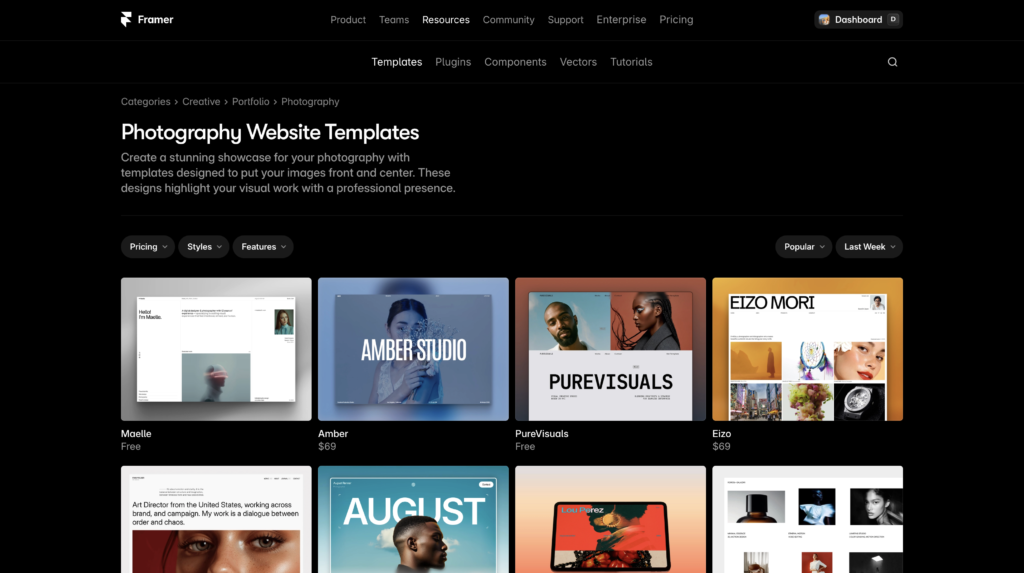
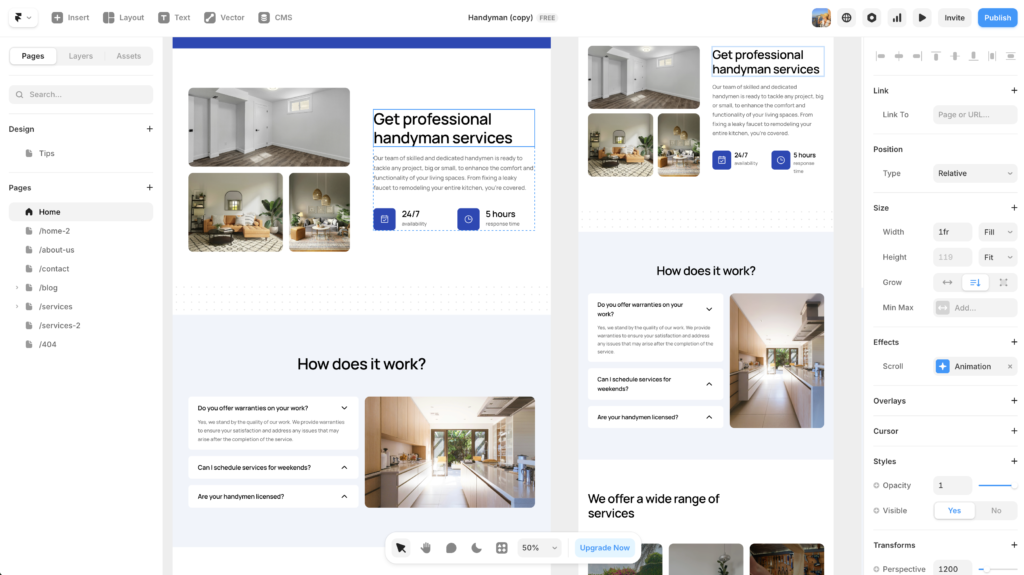
Framer started as a prototyping tool and evolved into a full website builder. In 2026, it is one of the fastest-growing platforms in the designer community, and for good reason. The editing experience feels closer to Figma than any other website builder on the market. If you already think in components and design systems, Framer will feel intuitive within a few hours.
The core idea behind Framer is that you should be able to build a fast, beautiful, production-ready website without dealing with the technical overhead that has historically made Webflow intimidating. You work with a canvas that behaves like a design tool. You publish with one click. The sites it produces are fast by default, which matters for SEO and user experience. If you want the full picture on the AI generation specifically, the Framer AI review breaks down how Framer’s AI builder performs on real projects.
Framer is the best choice for designers who want Webflow-quality results in half the time.
What Is Webflow?
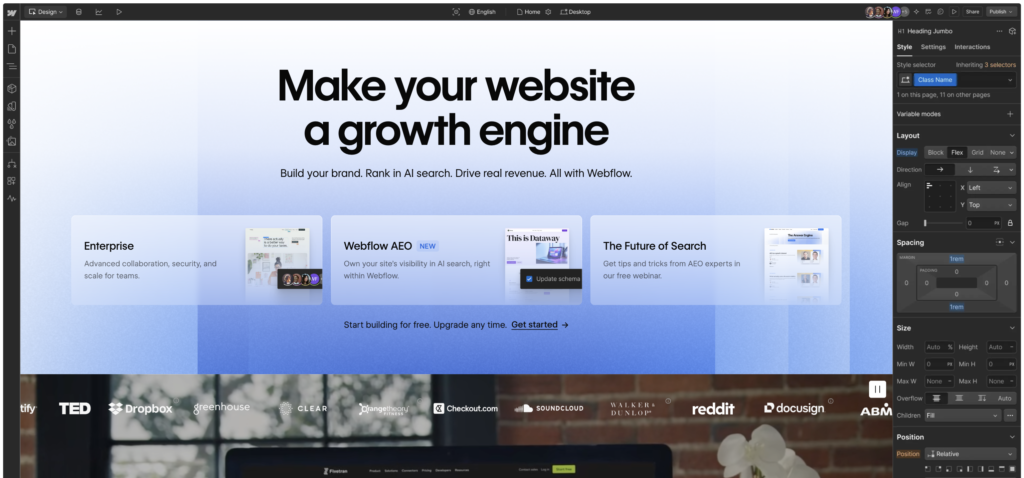
Webflow has been around longer and remains the gold standard for design-forward websites with serious CMS needs. It thinks in CSS terms — divs, flexbox, grid, padding, margins. If those concepts are already in your vocabulary, Webflow unlocks a level of control that no other no-code tool matches.
The Webflow CMS is where it genuinely pulls ahead. For content-heavy sites, blogs, portfolios with complex filtering, or client sites that need a proper content management workflow, Webflow’s CMS is significantly more capable than Framer’s. In addition, the Webflow ecosystem is mature. There are hundreds of tutorials, a large community, and a library of templates and cloneables that can significantly accelerate development.
However, the learning curve is real. Most designers report spending several weeks before they feel genuinely comfortable in Webflow. For a busy freelancer or a small business owner, that time investment is a significant consideration.
Webflow is the best choice for designers who need deep CMS control and are willing to invest time in learning the platform properly.
Framer vs Webflow: Head-to-Head Comparison
Feature | Framer | Webflow
|
|---|---|---|
Learning curve | Low to medium | Medium to high |
Design control | High | Very high |
CMS capability | Basic to moderate | Advanced |
Best for | Marketing sites, portfolios, SaaS | Content sites, agencies, complex builds |
Free plan | Yes, with Framer branding | Yes, limited |
Starting price | ~$5/month | ~$14/month |
Animation tools | Strong, component-driven | Very strong, CSS-based |
Figma import | Excellent | Basic |
Speed of build | Fast | Slower |
Community size | Growing fast | Large and established |
Ease of Use: Framer Wins for Most Designers
This is where the two platforms diverge most clearly. Framer was designed to feel like a design tool first. If you have ever used Figma, the mental model transfers almost directly. You are working with frames, components, and layers rather than thinking about HTML structure. As a result, most designers reach a productive level in Framer within a day or two.
Webflow requires a different kind of thinking. You are building the visual layer of a website, but the underlying logic follows CSS conventions. This makes it extraordinarily powerful once you understand it. However, it also means that early Webflow sessions can be disorienting if you are used to Figma or Canva-style design tools.
For clients who want to edit their own content after handoff, Framer is also significantly easier to manage. The editor interface is clean and straightforward. Webflow’s editor is more capable but also more complex for non-technical clients.
For most designers starting in 2026, Framer is the faster path to a productive workflow.
Design Control: Webflow Pulls Ahead for Complex Builds
If design control is your top priority, Webflow still has the edge. The ability to style every element precisely using visual CSS controls is unmatched in the no-code space. Webflow’s interaction and animation system is also more mature, giving you the ability to create genuinely complex scroll-based animations and micro-interactions that would require JavaScript in most other tools.
That said, Framer has closed the gap significantly. Its component system is excellent, and for the majority of marketing sites, portfolios, and landing pages, you are unlikely to hit Framer’s limits. The sites that come out of Framer look and feel premium.
However, if you are building a site with complex navigation structures, deeply nested CMS content, or advanced interaction design, Webflow is the more capable tool.
CMS and Content: Webflow Is the Clear Winner
For sites that need a robust content management system, Webflow is the better platform. Its CMS allows you to create custom content types, set up dynamic pages, filter and sort content, and give clients a proper editing experience. It is genuinely comparable to a lightweight headless CMS.
Framer has improved its CMS over the past year, but it remains more limited. It works well for simple blogs or portfolio cases, but it is not the right tool for a site with hundreds of posts, complex content relationships, or advanced filtering requirements.
In addition, Webflow’s Localization feature makes it the stronger choice for multilingual sites, which is an increasingly common requirement for agency clients.
If your project involves significant content management, Webflow is the right choice.
Pricing: Framer Is More Affordable to Start
Plan | Framer | Webflow
|
|---|---|---|
Free | Yes, with branding | Yes, can’t publish to custom domain |
Entry paid | ~$5/month | ~$14/month |
Business | ~$20/month | ~$23/month |
CMS | Included in most plans | $23/month (CMS plan) |
Framer is meaningfully cheaper at entry level, which matters for freelancers building their first portfolio or small businesses getting online for the first time. Webflow’s pricing makes more sense for agencies managing multiple client sites through Workspace plans.
Which One Should You Choose?
Choose Framer if:
- You want to get a professional site live quickly
- Your project is a portfolio, marketing site, SaaS landing page, or personal brand
- You want Figma-like design controls without a steep learning curve
- You are a solo designer or freelancer
- Budget is a consideration
Choose Webflow if:
- You need a powerful CMS for a content-heavy site
- Your client will manage significant amounts of content after handoff
- You need complex animations and interactions
- You are an agency building sites for multiple clients
- You are willing to invest several weeks in learning the platform properly
For most designers reading this in 2026, Framer is the right starting point. It delivers exceptional results faster, and you can always move to Webflow later if your projects outgrow it.
Frequently Asked Questions
Is Framer better than Webflow for beginners?
Yes, for most beginners Framer is the better starting point. The learning curve is lower, the interface is more intuitive for designers coming from Figma, and you can build a professional site faster. Webflow is more powerful but requires a steeper investment of time upfront.
Can Framer replace Webflow?
For many use cases, yes. Framer can replace Webflow for portfolios, marketing sites, SaaS landing pages, and most small business sites. However, for content-heavy sites requiring an advanced CMS or complex filtering, Webflow remains the stronger option.
Is Framer free to use?
Framer has a free plan that lets you build and preview a site. To publish to a custom domain and remove Framer branding, you need a paid plan starting at around $5 per month.
Does Webflow require coding knowledge?
Webflow does not require you to write code, but it does require you to understand CSS concepts like flexbox, padding, and margins. Designers who are comfortable with how web layouts work will learn Webflow faster than those with no web background.
Which is better for SEO, Framer or Webflow?
Both platforms produce clean, fast sites that are well-suited for SEO. Webflow has historically had a slight edge with more granular SEO controls, but Framer has improved significantly and both are strong performers in 2026.
The Bottom Line on Framer vs Webflow
Both Framer and Webflow are excellent tools in 2026. For designers who want to move fast and build beautiful sites without a steep learning curve, Framer is the clear recommendation. For designers who need deep CMS capabilities and complex interaction control, Webflow is worth the investment of time.
Not sure where to start? Try Framer free and see how far you get. For most projects, it will take you all the way.
This article contains affiliate links. If you purchase through our links we may earn a small commission at no extra cost to you. We only recommend tools we have personally used and tested.