Is Wix good enough for a professional website? The answer is yes, but that yes comes with context most articles skip, because most of them are written by people who set up a free trial for a week and called it research.
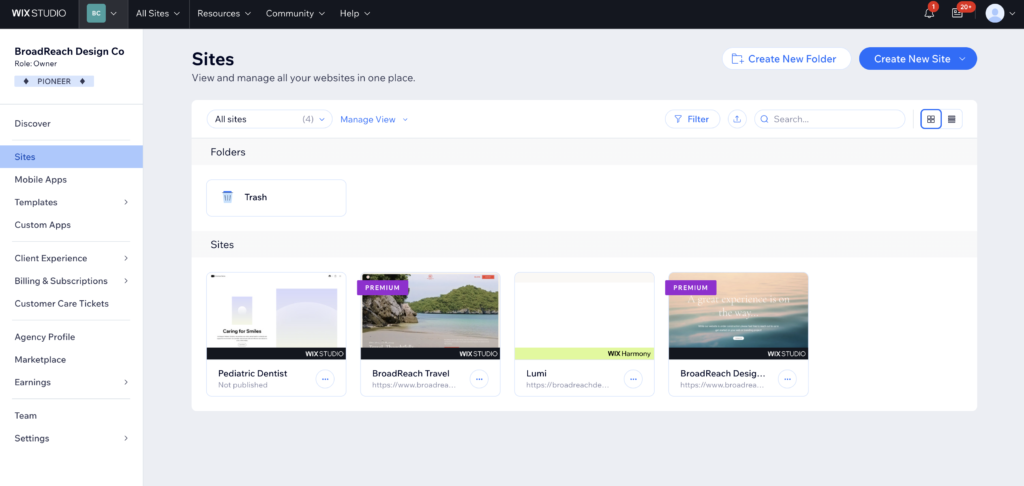
I have been building and managing professional websites on Wix for years. Right now, I am the sole designer responsible for seven live Wix sites for a healthcare agency. These are not side projects or test builds. They are production websites for a real business, with real clients, real deadlines, and real consequences when something breaks. So when someone asks whether Wix is good enough for a professional website, I am answering that question from actual experience, not a demo account.
Here is what I have found.
The Short Version
Wix is good enough for a professional website in 2026, provided you use Wix Studio and bring the same intention to it that you would any other professional tool. A designer managing seven live client sites on Wix confirms it handles real-world production requirements. Its genuine limitations show up on complex, content-heavy builds where WordPress or a custom stack would give you more control.
What “Professional” Actually Means
Before getting into whether Wix meets the bar, it helps to define what the bar is. A professional website needs to look credible, load fast, rank in search, be easy to update, and represent the brand accurately over time. That is the standard. It has nothing to do with which platform built it.
Wix was historically dismissed by the design community for legitimate reasons. The old URL structure was a mess. The code was bloated. The SEO capabilities were thin. Those criticisms were fair in 2015. In 2026, most of them are outdated.
Wix Studio, which is now the default environment for professional and agency use, is a genuinely capable platform. It has responsive breakpoints, reusable design tokens, proper CSS-backed styling, and animations that match what clients expect from a modern site. The gap between Wix Studio and a custom-built WordPress site has closed considerably. For the majority of professional website use cases, that gap has closed enough that it no longer matters.
The question is not whether Wix can produce a professional website. It clearly can. The question is whether it can produce the specific website your project requires.
Where Wix for Professional Websites Genuinely Delivers
In my experience managing real client sites on Wix, these are the areas where the platform holds up under professional use without compromise.
Speed and performance
Wix handles infrastructure automatically. Images are converted to WebP and served through a CDN. Server-side rendering means the page starts loading before it even reaches the client’s device. On a clean Wix Studio build without excessive third-party app stacking, Core Web Vitals scores are consistently competitive with well-optimized WordPress builds. In practice, this matters more than most designers realize. You do not have to think about hosting, caching plugins, or image optimization. It simply works.
SEO capabilities
The old reputation that Wix is bad for SEO is no longer accurate. Custom meta tags, canonical URLs, structured data, bulk 301 redirect management, Google Search Console integration, and a proper sitemap are all built in. For the local businesses, service providers, and SMB clients that make up the majority of professional website work, Wix covers every SEO requirement without additional plugins. For a deeper comparison of how Wix stacks up on SEO against other platforms, the website builder SEO guide on The Designer Review covers the nuances worth knowing before you choose a platform.
Client handover and editing
This is where Wix genuinely outperforms WordPress for most professional client relationships. Handing a Wix site to a client and having them actually be able to update it is realistic. The editor is visual, the interface is consistent, and changes publish immediately. With WordPress, even basic layout changes can send a non-technical client back to you within 48 hours. With Wix, the site can genuinely be self-managed. For small businesses and service providers who need ownership of their own site, this is a real advantage.
Design control in Wix Studio
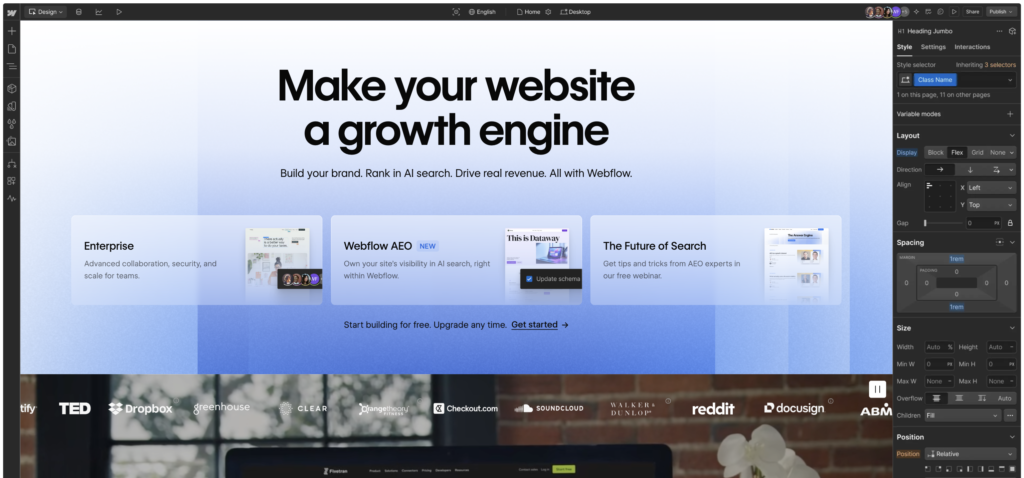
Wix Studio is a different product from the classic Wix editor, and the distinction matters. Studio gives you proper grid controls, responsive design that actually behaves at multiple breakpoints, no-code animations, reusable global sections, and a design token system. It is not Webflow. However, for marketing sites, service business sites, and most SMB projects, it produces results that are genuinely professional and visually competitive.
Where Wix for Client Sites Has Real Limitations
A fair answer includes the limitations, and there are a few that matter in professional contexts.
Complex content architecture
Wix’s CMS is capable for blogs, portfolios, and service listings. However, if a project requires complex content relationships, custom post types with intricate taxonomies, or a content structure that needs to scale to hundreds of pages with sophisticated filtering, WordPress with a proper plugin stack handles it more reliably. This is not a dealbreaker for most professional websites. However, it becomes relevant on larger or more complex builds.
Migration risk
Wix does not make leaving easy. Page layouts are not exportable. If a client grows beyond what Wix can handle and needs to migrate to WordPress or a custom platform, the site will need to be rebuilt from scratch. For most small business clients this will never be relevant. For clients who are growing fast and may need to scale significantly, it is worth factoring into the platform decision upfront.
Third-party app stacking
Wix has an app marketplace, and it is tempting to add functionality through it. However, stacking too many third-party apps on a single Wix site degrades performance noticeably. The platform handles its own infrastructure well. It handles a lot of external app scripts less well. Build lean and only add apps when the alternative is genuinely worse than the performance cost.
The limitations are real but narrow. They affect a specific kind of project, not professional website work in general.
Is Wix Studio Good for Agency and Freelance Work?
Wix Studio is specifically built for agencies and freelancers managing multiple client sites. It has a centralized workspace, role-based permissions, collaborative editing, and client handover flows that make multi-site management practical. For a freelance designer or small agency building and maintaining sites for clients, Studio is a legitimate professional environment.
That said, it is not the right fit for every agency. If your clients expect Webflow-level animation complexity, or if your agency’s work is defined by highly custom front-end builds that need clean exportable code, Wix Studio will feel limiting. However, for agencies working with small businesses, local services, healthcare practices, and professional service firms, it is more than capable.
For a comparison of how Wix stacks up against its closest competitors for small business use, the Wix vs Squarespace vs WordPress guide on The Designer Review covers the decision in full.
The Honest Verdict: Wix Professional Website Capabilities in 2026
Wix is good enough for a professional website. In many cases, it is the right tool for the job. The bias against it in the design community is largely a legacy of a platform that existed five years ago, not the one that exists today.
Where it excels: fast performance out of the box, genuinely good SEO tools, easy client handover, and a professional design environment in Wix Studio that handles most real-world project requirements well.
Where it falls short: complex content architecture, migration flexibility, and performance under heavy third-party app use.
The professional websites I manage on Wix look professional, load fast, rank in search, and can be updated by the clients who own them. That is the standard. Wix meets it.
| Factor | Wix in 2026 | Verdict |
|---|---|---|
| Visual quality | High with Wix Studio, requires intention | ✓ Pass |
| Page speed | Strong on clean builds, degrades with too many apps | ✓ Pass |
| SEO capabilities | Fully capable for most professional projects | ✓ Pass |
| Client editing | Best in class for non-technical clients | ✓ Pass |
| Complex content architecture | Limited compared to WordPress | ✗ Limitation |
| Migration flexibility | Locked in — rebuilding required to leave | ✗ Limitation |
| Agency workflow | Strong via Wix Studio workspace | ✓ Pass |
If you are weighing Wix against other options before committing, the Framer vs Webflow guide covers two strong alternatives worth knowing. And if you want to try a design-forward builder alongside Wix, Try Framer free — it is worth testing on your next project.
Frequently Asked Questions: Wix for Professional Websites
Is Wix good enough for a professional website in 2026?
Yes. Wix Studio produces professional websites that load fast, rank in search, and represent brands credibly. The platform has invested heavily in performance and SEO infrastructure over the past few years. For most professional website use cases, including small business sites, service provider sites, portfolios, and agency client work, Wix is more than capable.
Can I use Wix for client websites as a freelancer or agency?
Yes. Wix Studio is specifically designed for agencies and freelancers managing multiple client sites. It has a centralized workspace, role-based permissions, client handover tools, and collaborative editing. The main consideration is whether your clients are likely to need to migrate off Wix in the future, since page layouts are not exportable.
Is Wix Studio different from regular Wix?
Yes, significantly. Wix Studio is Wix’s professional environment with proper responsive design controls, a design token system, reusable global sections, no-code animations, and a multi-site workspace. It is a fundamentally different experience from the classic Wix editor and is the version of Wix worth evaluating for professional work.
Does Wix have good enough SEO for a professional website?
Yes. The reputation that Wix is bad for SEO is outdated. In 2026, Wix includes custom meta tags, canonical URLs, structured data, bulk 301 redirect management, sitemap control, and Google Search Console integration. For local businesses, service providers, and most SMB clients, Wix covers every professional SEO requirement without plugins.
When should I choose WordPress over Wix for a professional website?
Choose WordPress when a project requires complex content architecture with custom post types, intricate taxonomies, or advanced plugin integrations that Wix’s app marketplace cannot replicate. Also consider WordPress if the client is likely to need to migrate platforms or requires developer-level customization. For most standard professional websites, Wix handles the requirements without the overhead.
This article contains affiliate links. If you purchase through our links we may earn a small commission at no extra cost to you. We only recommend tools we have personally used or thoroughly researched.