Finding the best website builders for photographers comes down to one thing most reviews miss: photography websites are not like other websites. Your images are the product. The platform you choose either lets them shine or quietly undermines them with slow load times, clunky layouts, and templates clearly designed for someone else.
I have built and reviewed photography websites across multiple platforms. Here is what actually works in 2026.
The short answer: Framer and Squarespace are the top picks for visual impact. Pixieset wins for client delivery. Wix is the best all-in-one option if you want simplicity above everything else.
Read more: Best Website Builders for Small Businesses
What Makes a Great Photography Website Builder?
Before getting into the rankings, it helps to understand what photographers actually need from a website platform. A great photography website builder should do these things well.
First, it needs to display images beautifully. This sounds obvious, but not every platform handles high-resolution photography well. Compression, lazy loading, and gallery layout control all matter significantly.
Second, it needs to load fast. Slow sites lose visitors before they ever see your work. Google also penalizes slow sites in search rankings, which affects how easily potential clients can find you.
Third, it should be easy to update. You are a photographer, not a web developer. Uploading new work, updating pricing, and refreshing your portfolio should take minutes rather than hours.
Finally, for working photographers, client delivery capabilities matter. The ability to send galleries, collect payments, and manage client proofing from the same platform saves a lot of time and admin overhead.
The best photography website builders combine visual quality with practical business tools.
1. Framer: Best Website Builder for Design-Forward Photographers
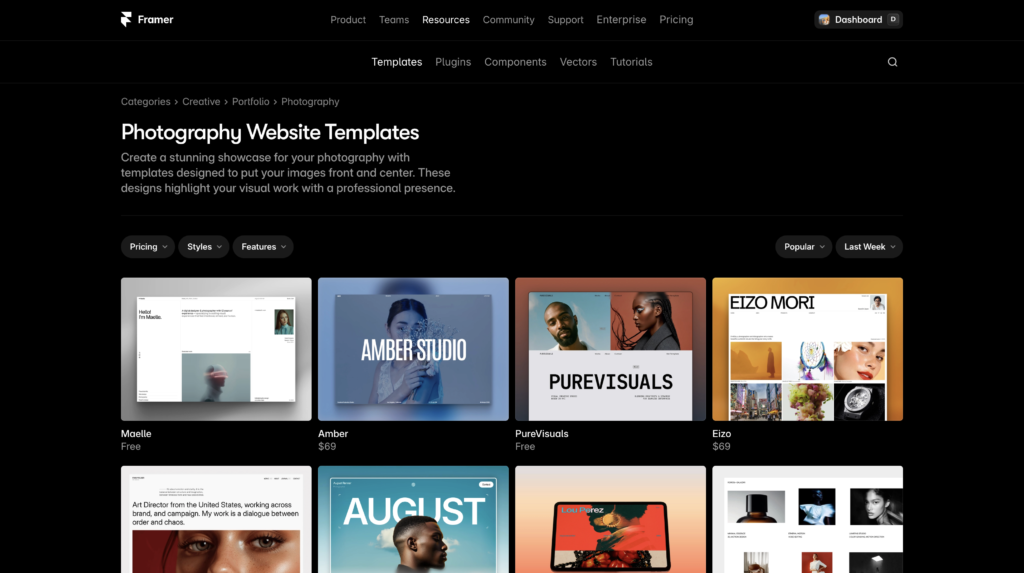
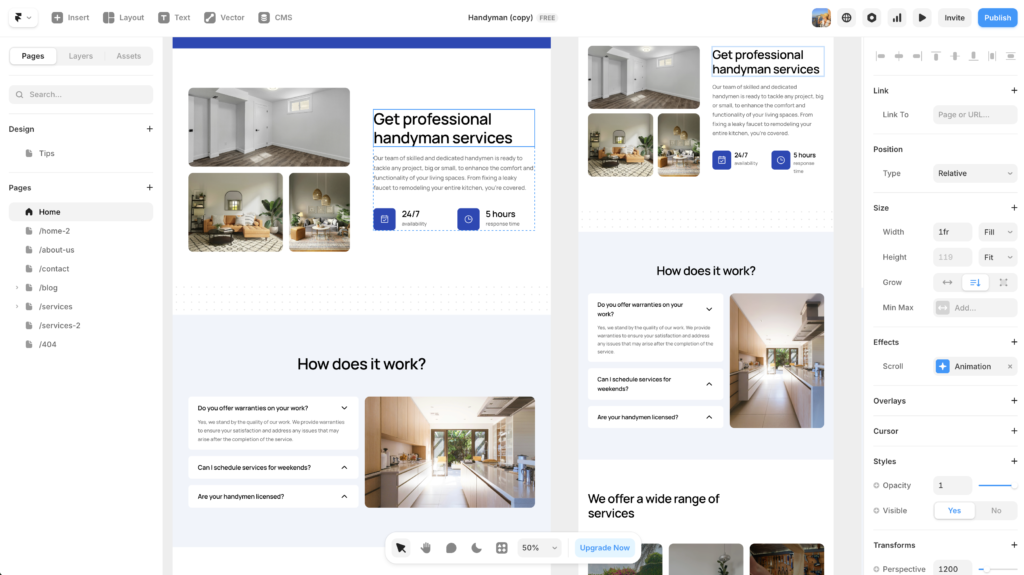
Framer is the platform that has changed the most for photographers over the past year. What was once primarily a tool for product designers and SaaS companies has become a genuinely compelling option for photographers who want a site that looks exceptional and loads fast.
The key advantage Framer offers photographers is design control without complexity. You can build full-bleed image layouts, create smooth hover effects, and control the exact spacing and presentation of your work. The sites that come out of Framer look intentional in a way that template-based platforms often do not.
Framer sites are also fast by default. Images are served through a global CDN and optimized automatically, which matters both for user experience and for search rankings. For a photographer trying to attract clients through Google, site speed is not a minor detail.
The main limitation is client gallery delivery. Framer is a portfolio and marketing tool, not a client proofing platform. If you need to deliver galleries, collect selects, and receive payment from clients, you will need to pair Framer with a dedicated gallery tool like Pixieset or Pic-Time.
Best for: Portrait, brand, and editorial photographers who want their site to feel like an extension of their creative identity.
Pricing: Free plan available. Paid plans start at around $5 per month.
2. Squarespace: Best for Beautiful Out-of-the-Box Templates
Squarespace has been the go-to platform for photographers for years, and in 2026 it still earns that reputation. The template library is genuinely excellent for photography, with clean, image-forward layouts that make work look expensive without any design effort on your part.
The Squarespace editor is less flexible than Framer or Webflow, but that is also part of its appeal. The constraints keep everything looking clean and consistent. It is very difficult to make a Squarespace site look bad, which matters if design is not your background.
Squarespace also has the most complete set of business tools of any platform on this list. Built-in scheduling for booking sessions, ecommerce for selling prints, a blog, email marketing, and basic gallery password protection all come included. For photographers who want one platform to handle their entire online presence, Squarespace is the most complete option.
The downsides are price and flexibility. Squarespace is more expensive than Framer, and you are working within a more restricted system. If you have strong opinions about how you want things to look and do not find what you need in the templates, Squarespace can feel limiting.
Best for: Wedding photographers, portrait photographers, and family photographers who want a beautiful site with built-in booking and ecommerce.
Pricing: Plans start at $16 per month. Most photographers will want the Business plan at $23 per month for full ecommerce features.
3. Pixieset: Best for Client Gallery Delivery
Pixieset is not primarily a website builder. It is a client delivery platform that also happens to build beautiful portfolio websites. That distinction matters, because if a significant part of your business involves delivering galleries to clients, no other platform on this list competes.
The client gallery experience in Pixieset is exceptional. Clients receive a clean, professional gallery link. They can favourite images, leave comments, and download their files in a format you specify. You can set download limits, add passwords, and collect payment before delivery. It all works smoothly and looks far more professional than a Google Drive link or Dropbox folder.
The portfolio website side of Pixieset has also improved considerably. It is not as visually flexible as Framer or as template-rich as Squarespace, but it is entirely competent and genuinely attractive. For photographers who primarily want their website to exist as a professional presence while Pixieset handles the business workflow, it is a logical all-in-one choice.
Best for: Wedding photographers, event photographers, and portrait photographers whose primary need is professional client gallery delivery alongside a clean portfolio presence.
Pricing: Free plan available with limited storage. Paid plans start at $8 per month.
4. Wix: Best All-in-One Photography Website Builder
Wix is the most flexible all-in-one option on this list. The template library is enormous, the drag-and-drop editor is genuinely intuitive, and the platform bundles enough business tools to run a photography business entirely from one place.
For photographers who do not want to think too hard about their website and just need something professional and functional, Wix is the lowest-friction option. You can be live with a good-looking site in a few hours. The AI site builder Wix ADI can generate a personalized starting point in minutes based on answers to a few questions.
The honest caveat is that Wix sites can look generic if you are not intentional about the design. Because you can move anything anywhere, it is easy to end up with a layout that feels inconsistent. That said, if you choose a good template and resist the urge to over-customise, Wix produces perfectly professional results.
Best for: Photographers who want everything in one place and the lowest possible learning curve. Good for newer photographers setting up their first professional site.
Pricing: Plans start at $17 per month. For a business site without Wix branding, the Core plan at $29 per month is the practical entry point.
Photography Website Builder Comparison
Platform | Best for | Visual quality | Client delivery | Starting price
|
|---|---|---|---|---|
Framer | Design-forward portfolios | Excellent | None built-in | ~$5/month |
Squarespace | Templates + business tools | Excellent | Basic galleries | $16/month |
Pixieset | Client gallery delivery | Very good | Best in class | $8/month |
Wix | All-in-one simplicity | Good | Basic | $17/month |
What About WordPress for Photography?
WordPress deserves a mention because it powers a significant number of professional photography sites, particularly those with large archives or strong SEO needs. With a theme like Divi or a page builder like Elementor, WordPress can produce exceptional photography sites.
However, for most photographers in 2026, WordPress involves more setup and maintenance than the purpose-built platforms above. It is the right choice if SEO is a primary goal and you are comfortable managing hosting, updates, and plugins. For photographers who just want a great portfolio site without technical overhead, the platforms listed above are better starting points.
Frequently Asked Questions About Photography Website Builders
What is the best free website builder for photographers?
Framer and Pixieset both offer free plans that allow you to build and display a portfolio. Framer’s free plan includes branding on your site; Pixieset’s free plan includes limited storage. For most photographers who want to test before committing, Framer’s free plan is the most capable starting point.
Do I need a separate gallery platform if I use Squarespace?
Squarespace includes basic password-protected galleries, which work for simple client delivery. However, if you shoot weddings, events, or portraits and deliver large galleries regularly, a dedicated platform like Pixieset provides a significantly better client experience.
Which website builder is best for wedding photographers?
Squarespace and Pixieset are the strongest options for wedding photographers. Squarespace provides the best combination of portfolio presentation and built-in booking tools. Pixieset adds professional client gallery delivery to a clean portfolio presence. Many wedding photographers use both together.
Is Wix good for a photography portfolio?
Yes, Wix is a solid choice for a photography portfolio, particularly for photographers who are new to building websites. The template selection is large, the editor is intuitive, and you can get a professional site live quickly. The main downside compared to Framer and Squarespace is that more design effort is required to achieve the same polished result.
How important is website speed for a photography portfolio?
Very important. Slow-loading portfolios lose visitors before they see your work, and site speed is a confirmed Google ranking factor. Framer and Squarespace both handle image optimisation automatically and produce fast-loading sites. If you build on WordPress or Wix, make sure you are using a good image compression plugin and a fast hosting provider.
The Best Website Builders for Photographers in 2026
The right platform depends on what matters most to your photography business. For sheer visual impact and design control, Framer is the standout choice in 2026. For a beautiful all-in-one solution with no design skills required, Squarespace remains the most reliable option. For photographers who prioritise client experience alongside their portfolio, Pixieset is hard to beat.
If you are still deciding, start with Framer. The free plan lets you build a full portfolio without committing, and the results are genuinely impressive.
This article contains affiliate links. If you purchase through our links we may earn a small commission at no extra cost to you. We only recommend tools we have personally tested or thoroughly researched.