If you’ve spent any time looking at Wix lately, you’ve probably noticed the question: Wix Studio vs Wix Editor, which one do you actually need? It’s a fair question, and the fact that Wix hasn’t made the answer obvious is a genuine problem. The two platforms look similar on the surface, cost roughly the same, and both promise you a professional website. But they’re built for very different people, and picking the wrong one will cost you real time later.
I’ve built client sites on both. Here’s what the generic comparison posts leave out.
The Short Version
Wix Studio vs Wix Editor comes down to one question: are you building a site for yourself, or building sites for others? Wix Editor gets a small business owner online quickly with a simple drag-and-drop interface. Wix Studio gives professional designers and agencies the responsive grid system, collaboration tools, and design control they need for client work. The critical catch: you cannot move a site from one editor to the other without rebuilding it completely.
What Wix Studio vs Wix Editor Actually Means
These aren’t two versions of the same tool. They’re two separate product lines that happen to share the same backend infrastructure, billing system, and brand name. That’s the source of almost all the confusion.
Wix Editor — often called “classic Wix” — is the platform most people think of when they hear “Wix.” It’s a freeform drag-and-drop builder where you place elements anywhere on the canvas. There’s no grid, no layout container system, and no concept of responsive breakpoints in the designer sense. It’s approachable, quick to learn, and genuinely good at what it’s designed for: getting a business online fast without design knowledge.
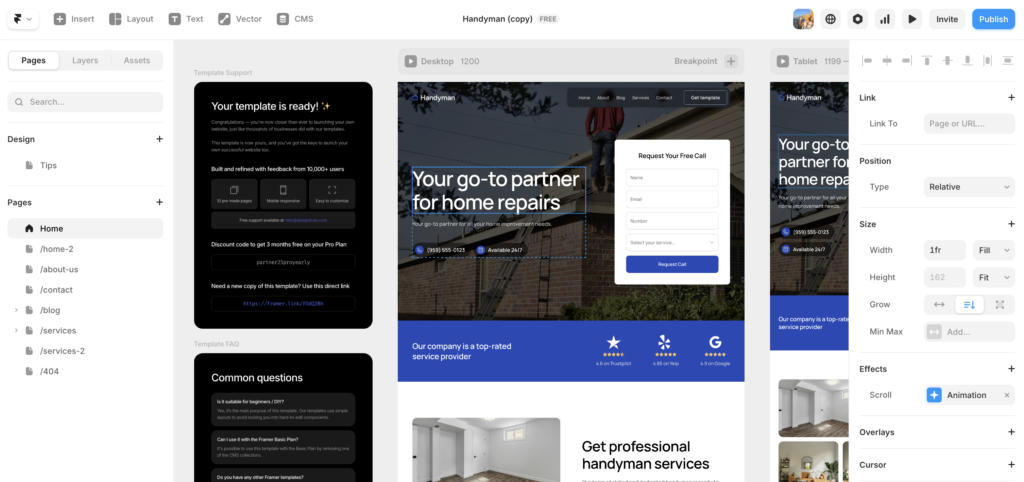
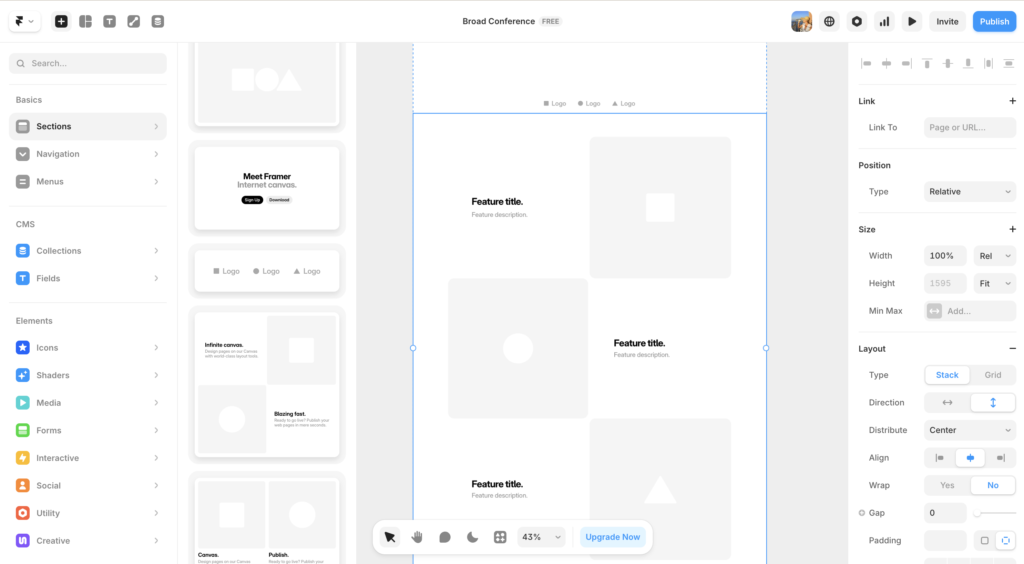
Wix Studio is a different product entirely. It was built for web professionals, with a layout system based on grids and containers, custom breakpoints, real-time collaboration, and a Figma-adjacent design feel. If you’ve ever worked in a proper design tool, Wix Studio will feel familiar in a way that Wix Editor never does.
Both platforms use the same Wix SEO tools, the same hosting infrastructure, and similar pricing. That’s where the overlap ends.
According to Wix’s own comparison, the Editor is designed for entrepreneurs, small business owners, and independent creators, while Studio is designed for agencies, freelancers, and enterprises.
Wix Editor: Who It’s Actually For
Wix Editor is the right call for a specific type of user, and it’s worth being clear about who that is.
You’re a good fit for Wix Editor if you’re a small business owner building your own site, you need to get something live quickly without a steep learning curve, your site is relatively straightforward (services, portfolio, simple ecommerce, blog), and you plan to manage the site yourself long-term.
The drag-and-drop interface is genuinely easy. You can have a decent-looking site published in an afternoon. Wix’s AI assistant (Wix Harmony / Aria) integrates well with the Editor workflow and can take you from a prompt to a working site structure quickly. There are hundreds of templates, built-in booking tools, ecommerce, forms, and everything a standard small business needs out of the box.
The limitation shows up when your design requirements grow. Because elements are placed freeform rather than in a structured grid, responsive behaviour is handled by Wix automatically, not by you. In practice, that means your mobile layout is Wix’s best guess at how your desktop design should reflow. For simple sites, it’s usually fine. For more complex layouts, it can produce results that require manual fixing on every breakpoint.
Wix Editor is fast, accessible, and capable — within its scope. The moment that scope is exceeded, you’ll feel it.
Best for: small business owners, service businesses, creators, anyone building their own site without a design background.
Wix Studio vs Wix Editor: The Design Differences That Actually Matter
When you put Wix Studio vs Wix Editor side by side on design capability, the gap is significant. Here’s what changes in practice.
Feature | Wix Editor | Wix Studio
|
|---|---|---|
Layout system | Freeform drag-and-drop | Grid and container-based |
Responsive control | Automatic (limited control) | Manual per breakpoint |
Team collaboration | Single user | Real-time multi-user |
Client handover tools | Basic | Content mode + comments panel |
Custom animations | Limited presets | 5 animation types, scroll-based |
Figma import | ✗ | ✓ (with limitations) |
Template library size | Hundreds | Smaller, more professional |
Learning curve | Low | Medium-high |
Best for | DIY small business owners | Designers, agencies, freelancers |
The responsiveness difference is the one that catches people off guard. In Wix Studio, you design for desktop and then actively control how that design adapts to tablet and mobile, using real breakpoints. In Wix Editor, Wix handles that adaptation for you. Neither approach is wrong, but they produce very different results when designs get complex. Studio gives you precision; Editor gives you speed.
For a working designer building client sites, that precision is often the difference between a site that looks intentional on every screen and one that looks like it was approximated by an algorithm.
Wix Studio for Small Business: Does It Make Sense?
Here’s where most comparison posts get it wrong. They treat Wix Studio as exclusively a professional tool and Wix Editor as exclusively a beginner tool. The reality is slightly more nuanced.
Wix Studio can make sense for a small business owner in two situations: you have a specific visual ambition that requires real layout control, or you’re working with a designer who will build the site for you and hand it over for content updates.
In the second scenario, Studio’s client handover tools are genuinely useful. Your designer can give you access in “content mode,” which locks the layout and only lets you edit text and images. That’s a real practical advantage over Wix Editor, where there’s no equivalent protection against accidentally moving things around.
However, if you’re a small business owner building your own site without design training, Wix Studio for small business use is a harder sell. The learning curve is real. The grid system takes time to understand. And the template library, while high quality, is much smaller than Wix Editor’s. For most solo business owners, Wix Editor gets you to a professional result faster and with less friction.
The exception is if you’re already design-literate, even without formal training. If you’re someone who finds Canva too limiting and has spent time in Figma or similar tools, you’ll pick up Studio faster than you think.
The Migration Problem: Why Your Initial Choice Matters More Than You Think
This is the thing that almost every Wix Studio vs Wix Editor comparison buries or skips entirely.
You cannot migrate a site between the two editors. If you build in Wix Editor and later decide you want Studio’s capabilities, you have to rebuild the entire site from scratch. The content, structure, and design don’t transfer. According to Wix’s own support documentation, rebuilding in Studio is the only path forward.
In practice, this means the “start simple and upgrade later” logic that works with most software does not apply here. If there’s any real chance you’ll want Studio’s capabilities in the next year or two, starting there makes more sense than rebuilding later. The switch from Wix Editor to Wix Studio isn’t a setting change. It’s a full redesign project.
This is especially important advice for anyone considering Wix for client work. A site you build today in Wix Editor can’t be handed off as a Studio site later without a significant time investment. If you’re building for clients with growth ambitions, Studio from the start is the safer long-term choice.
Choosing the wrong editor now doesn’t just limit you today. It creates a rebuild project later.
Wix Studio vs Wix Editor: Which Should You Actually Pick?
Here’s a direct answer based on the most common scenarios.
Choose Wix Editor if:
You’re a small business owner building your own site. You need to be live quickly. Your site is informational or has basic ecommerce. You’ll be managing content yourself and aren’t a designer.
Choose Wix Studio if:
You’re a designer or agency building sites for clients. You need real responsive control. You want collaboration tools and client content mode. You’re design-literate and willing to spend time learning the platform. You’re thinking long-term and want room to grow without hitting ceilings.
The genuinely hard case is the small business owner with high design ambitions. If you want a site that looks like it was built by an agency but you want to build it yourself, you’re probably better served by Squarespace (more design-opinionated, less customisable) or by hiring someone on Wix Studio rather than fighting the Editor’s limits.
You can explore the full current feature breakdown on Wix’s comparison page.
And if you’re weighing Wix against other platforms entirely, the TDR review of whether Wix is good enough for professional websites covers that question in more depth.
Frequently Asked Questions: Wix Studio vs Wix Editor
What is the main difference between Wix Studio and Wix Editor?
Wix Studio uses a grid-based responsive layout system designed for professional designers and agencies. Wix Editor uses a freeform drag-and-drop interface designed for small business owners and beginners. They share the same Wix infrastructure and pricing but are built for very different workflows and skill levels.
Can I switch from Wix Editor to Wix Studio later?
Not without rebuilding your site. Wix does not support automatic migration between the two editors. If you want to move from Wix Editor to Wix Studio, you’ll need to rebuild the site in Studio from scratch. That’s a significant time investment, which is why choosing the right editor upfront matters.
Is Wix Studio harder to use than Wix Editor?
Yes, meaningfully so. Wix Studio’s grid and container layout system takes time to learn, especially if you’re not familiar with responsive design concepts. Wix Editor is faster and more intuitive for someone without a design background. That said, designers who’ve worked in Figma or similar tools will find Studio’s interface fairly familiar.
Is Wix Studio worth it for a small business?
It depends. Wix Studio for small business use makes sense if you’re working with a designer who’ll build and hand off the site, since Studio’s content mode lets clients edit safely without breaking layouts. If you’re building the site yourself without design experience, Wix Editor is likely a better fit. The Studio learning curve isn’t justified unless you’ll actually use the advanced capabilities.
Is Wix Studio vs Wix Editor a pricing difference?
No. Wix Studio and Wix Editor plans are priced comparably. The difference is not about cost but about which platform you’re working in. Both require a paid plan to publish on a custom domain. The choice between them is about capabilities and workflow, not budget.
Which is better for SEO: Wix Studio or Wix Editor?
Both use the same Wix SEO infrastructure, so the Wix Studio vs Wix Editor comparison isn’t really relevant when it comes to SEO capability. What matters more is how well you set up your site’s metadata, structure, and content, regardless of which editor you use.
The Bottom Line on Wix Studio vs Wix Editor
Wix Studio vs Wix Editor is ultimately a question about who you are and what you’re building. For a small business owner who wants a clean, functional website without a design degree, Wix Editor is fast, capable, and gets the job done. For a designer or agency building client work, Wix Studio’s responsive grid system, collaboration tools, and client handover features make it the clearly better tool.
The single most important thing to know before you start: you can’t switch later without rebuilding. Make the call that’s right for where you’re heading, not just where you are today.
If you’re still weighing whether Wix is the right platform at all, read the full breakdown of Wix for professional websites before you commit.
This article contains affiliate links. If you purchase through our links we may earn a small commission at no extra cost to you. We only recommend tools we have personally used or thoroughly researched.