If you are comparing Framer vs Wix right now, you have probably read a dozen posts that say roughly the same thing: Wix is for beginners, Framer is for designers, pick whichever fits your skill level. That framing is not wrong, but it is incomplete. I have spent years building in Wix across dozens of real client projects. I know where it works well and, more importantly, I know exactly where it breaks. That experience gives me a different angle on the Framer vs Wix question than most comparisons you will find.
The Short Version: Wix is a capable, beginner-friendly builder with strong SEO tools, but it has real structural limits that cause genuine problems as sites grow. Framer is the better choice for design-focused projects and any site that will need to scale beyond around 100 pages. If you are non-technical and SEO is your top priority, Wix still wins. For everyone else, Framer vs Wix is not as close a contest as most reviews suggest.
What Framer vs Wix Is Really About
Most comparisons treat this as a design question. It is not. The real difference between Framer and Wix comes down to how much the platform gets out of your way as your site grows.
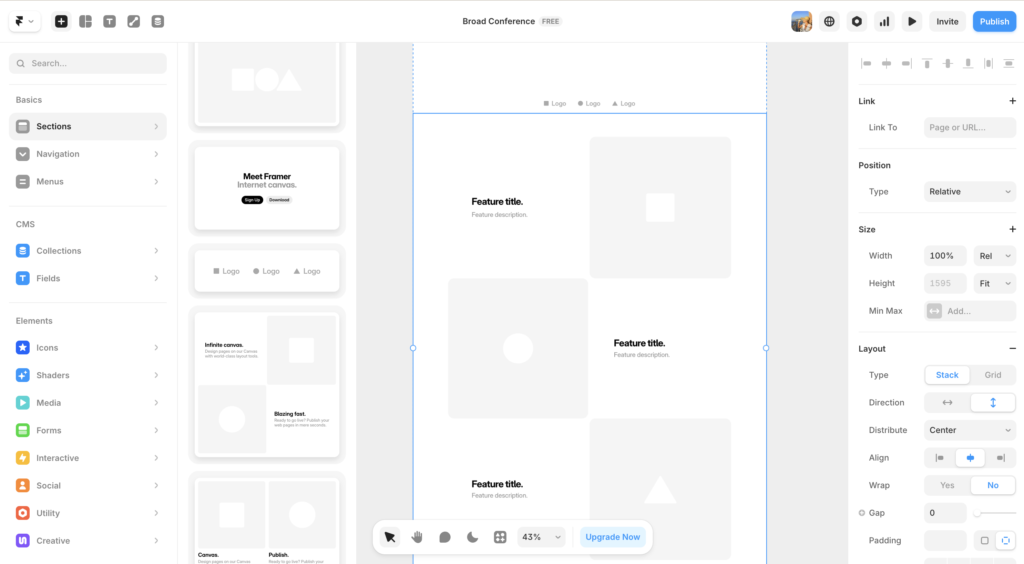
Framer is built around a canvas interface that works like Figma. You design directly in the browser, publish cleanly, and get fast-loading pages with polished animations out of the box. It feels like a published Figma file — and for many projects, that is exactly what you want. The design ceiling is high. The page performance is strong. And the pricing, starting at $10 per month for the Basic plan, is competitive.
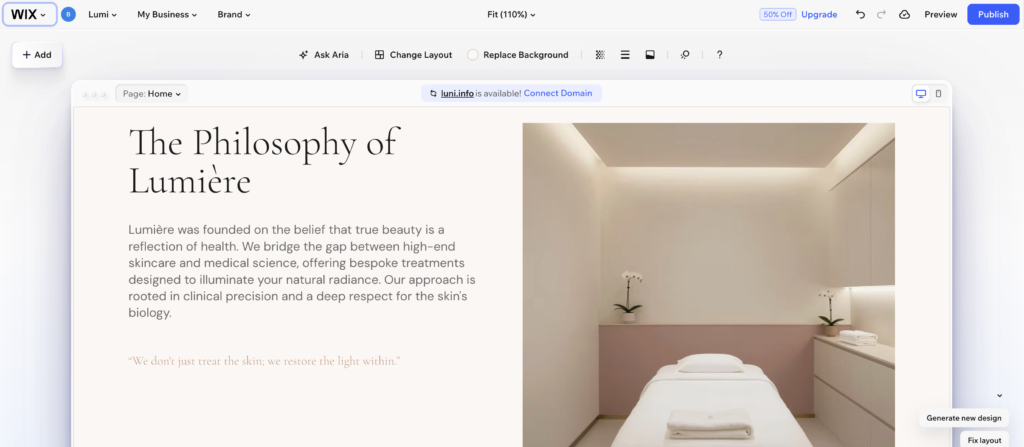
Wix is built around accessibility. It offers over 800 templates, a drag-and-drop editor that requires no design knowledge, a built-in app marketplace, and SEO tools that are genuinely solid for a hosted platform. For someone who needs a website live quickly and plans to manage it themselves, Wix is a reasonable starting point.
The problem is what happens six months in.
The Wix Limitations Nobody Talks About
I want to be direct here because most Framer vs Wix comparisons are too polite about Wix’s real constraints. These are not minor inconveniences. For the right kind of project, they are genuine blockers.
The 100-Page Ceiling
Wix caps sites at 100 pages, without the ability to pay for more if you wanted. If you build a growing business, add service area pages, build out a resource library, or have lots of landing pages, you will hit this limit. I have hit it more than once with client sites. Wix does offer a workaround involving a secondary “ghost” site structure, but it is not clean, and managing it is genuinely painful. This is a hard architectural constraint, not a setting you can change.
Framer handles this better on higher plans. The Pro plan allows 150 pages, and the Scale plan goes up to 300. Neither is unlimited, but for the kind of site that hits Wix’s ceiling, Framer’s Pro tier at $30 per month is the natural comparison point, and the additional headroom matters.
Template Lock-In
When you build a Wix site, you choose a template and you are committed to it. There is no way to switch templates once your site is live without rebuilding from scratch. This is a significant design constraint that most users do not discover until they want a visual refresh 18 months down the line.
Framer does not work from templates in the same way. Because you are designing on a canvas, the visual direction of your site is not locked to a starting template. You have more freedom to evolve the design over time without starting over.
The Mobile Editing Problem
Wix’s editor does not automatically optimize for mobile. Every mobile layout adjustment is manual. On a complex site, this becomes a time-consuming process that often produces inconsistent results. It is one of the most frequent complaints among experienced Wix users, and it has not been fully resolved despite platform updates.
Framer handles responsiveness at the component level, which means designs that are built correctly tend to adapt better across breakpoints without the same manual overhead.
Dynamic Pages With Conditional Content
If you want a Wix CMS page to show or hide content based on whether a field is populated, you are going to need custom code. Wix has no native way to conditionally display CMS content without a developer or a Velo script. For solopreneurs and small businesses managing their own sites, that is a meaningful limitation.
The honest summary: Wix is a strong platform up to a point. That point comes faster than most people expect.
Where Framer vs Wix Gets Complicated: SEO
This is where Framer vs Wix is not a clean win for Framer.
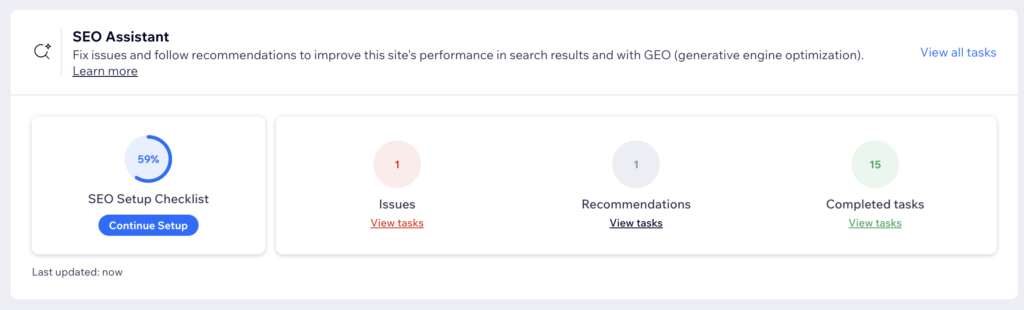
Wix has invested heavily in SEO tooling. You get structured metadata controls, a solid sitemap setup, redirect management, and a reasonably clean technical foundation. It is not as capable as WordPress, but it is better than most hosted builders, and it is more accessible to non-technical users than Framer’s SEO setup.
Framer’s SEO is solid for smaller sites. Page-level metadata, canonical controls, and sitemaps are all included. However, for content-heavy sites targeting dozens of competitive keywords, Webflow or WordPress will give you more depth and control. For a typical small business site or portfolio, Framer’s SEO tools are more than sufficient. For an aggressive organic content strategy at scale, Wix actually holds an edge over Framer on this dimension.
If SEO is your primary driver, and you are planning to build a large content library, neither Framer nor Wix is the right answer. WordPress is. But between the two, Wix has the stronger out-of-the-box SEO setup for non-technical users.
Pricing: Framer vs Wix Side by Side
| Plan | Framer | Wix |
|---|---|---|
| Entry paid | $10/mo (Basic, 30 pages) | $17/mo (Light) |
| Mid tier | $30/mo (Pro, 150 pages) | $29/mo (Core) |
| Page limit | 30 (Basic) / 150 (Pro) / 300 (Scale) | 100 across all plans |
| Template lock-in | ✗ No | ✓ Yes |
| Native ecommerce | ✗ No (third-party) | ✓ Yes |
| Mobile auto-optimize | ✓ Component-level | ✗ Manual |
Who Should Actually Use Each Platform
Here is the honest breakdown for the Framer vs Wix decision.
Choose Wix if:
- You have no design background and need a genuinely easy drag-and-drop experience
- SEO is your primary traffic strategy and you want everything managed in one place
- You need native ecommerce without third-party integrations
- Your site will stay under 50 pages and you do not expect that to change
- You are building for a client who needs to manage the site themselves without any design knowledge
Choose Framer if:
- Design quality matters and you want a site that looks like a professional built it
- You work in Figma and want an interface that feels familiar
- You are building a marketing site, portfolio, or landing page where visual impact drives results
- You expect your site to grow and do not want to rebuild when you hit an arbitrary page cap
- You want better performance scores and cleaner code output than Wix can produce
For freelance designers choosing a platform to build client sites on, Framer vs Wix is an easier call than most posts suggest. Framer gives you a higher design ceiling, better output quality, and a pricing model that is more accessible at the entry level. The learning curve is real, but if you use Figma, it is shorter than you might expect.
For the small business owner who just needs something live and functional, Wix is a legitimate option — with the caveat that you should go in knowing its limits before you build a site you will later need to migrate.
For anyone leaning toward Framer mainly for the speed of its AI generation, the Framer AI review covers what Framer’s AI site generation actually produces and where it falls short.
Try Framer free and see how the canvas interface compares to what you are used to. The free plan is genuinely usable for testing before you commit.
Framer vs Wix: How They Compare on Key Features
For a direct look at where Framer vs Wix diverges on the features that matter most, here is a side-by-side summary.
| Feature | Framer | Wix | Winner |
|---|---|---|---|
| Design freedom | Canvas-based, high ceiling | Template-bound, limited | Framer |
| Ease of use | Moderate (Figma-like) | Very easy | Wix |
| SEO tools | Solid, sufficient for most | Strong, more accessible | Wix |
| Page performance | Excellent, edge CDN | Inconsistent, code bloat | Framer |
| Animations | Native, polished | Basic entrance only | Framer |
| Scalability | Better page limits, cleaner | 100-page hard cap | Framer |
| Ecommerce | Third-party only | Full native | Wix |
Frequently Asked Questions: Framer vs Wix
Is Framer better than Wix for small businesses?
It depends on the business. For a service-based small business that needs a clean, fast, visually polished site and is comfortable with a modest learning curve, Framer is the better long-term platform. For a product-based small business that needs native ecommerce and wants everything managed in one place without any design knowledge, Wix is more practical. The Framer vs Wix decision comes down to how much you value design quality versus out-of-the-box simplicity.
Can Wix compete with Framer on design?
Not at the high end. Wix gives you solid results within its template system, but you are always working within constraints. Framer’s canvas-based approach gives you significantly more creative control and produces output that looks more custom and considered. If design quality is a business differentiator for you, Framer vs Wix is not a close comparison.
What happens when you hit the Wix 100-page limit?
Wix offers a workaround that involves creating a secondary site and linking it to your primary domain. In practice, this creates a fragmented experience that is difficult to manage and can cause SEO issues. It is not a clean solution. If you expect to exceed 100 pages, factor that into your Framer vs Wix decision from the start.
Does Framer have good SEO?
Framer includes the core SEO controls most sites need: metadata, canonical tags, sitemaps, and redirects. For a typical business website or portfolio, it is more than sufficient. For a large-scale content operation targeting hundreds of keywords, Webflow or WordPress will give you more depth. In the Framer vs Wix SEO comparison, Wix has a slight edge in accessibility and built-in tooling, but Framer’s performance scores compensate with better Core Web Vitals.
Can I switch from Wix to Framer?
There is no direct migration tool. Moving from Wix to Framer means rebuilding your site, which is a real cost to account for. That is one more reason to make the right Framer vs Wix choice at the start of a project rather than after you have already built something. If you are currently on Wix and hitting its limitations, the rebuild is often worth it, but plan for the time investment.
Is Framer good for beginners?
Framer has a learning curve, but it is shorter than Webflow’s. If you have used Figma, you will find the canvas interface familiar. If you have no design tool experience at all, Wix is genuinely easier to start with. For beginners who want to learn design fundamentals while building their site, Framer is actually a better long-term investment, even if it takes a bit longer at the start.
The Verdict
The Framer vs Wix question does not have one universal answer, but it has a more honest one than most posts give you.
Wix is a good platform. For non-technical users, beginners, and anyone who needs native ecommerce with minimal setup, it is a reasonable choice. But it has real architectural limits, and if you are building a site you expect to grow, those limits will find you.
Framer is the stronger platform for most design-forward projects. The canvas interface, the page performance, the animation quality, and the cleaner scaling path all give it a meaningful edge over Wix for the kind of site that needs to make a strong impression.
If you are on Wix and it is working for you, there is no urgent reason to move. If you are starting a new project and design quality matters, start with Framer. The free plan lets you build and test before spending anything.
Try Framer free and see if the canvas feels right for what you are building.
If you want to see how Framer stacks up against other platforms, check out the Webflow review or the Wix vs Webflow comparison for more context on where each tool fits.
This article contains affiliate links. If you purchase through our links we may earn a small commission at no extra cost to you. We only recommend tools we have personally used or thoroughly researched.