Both Framer and Squarespace are genuinely good website builders. That is the honest starting point, and it is also the reason that framer vs squarespace is a harder comparison than it first appears. Search for it and you will find dozens of articles splitting the decision along a simple line: Framer is for designers, Squarespace is for beginners. In 2026, that framing is too reductive to be useful. Both platforms have matured significantly, both can produce professional results, and the real question is not which one is technically superior. It is which one matches what your specific business needs from a website, and who will be maintaining it after launch.
The Short Version
In the framer vs squarespace comparison, Framer wins when your visual brand identity is a genuine competitive differentiator and you want the site to look distinctive. Squarespace wins when your business needs operational depth: ecommerce, booking, scheduling, or content management that just works out of the box. If you are updating the site yourself with no design background, Squarespace gets you there faster and keeps things looking consistent. If you want a site that looks like it was built by a professional design team, Framer is how you get there without hiring one.
What Framer vs Squarespace Actually Comes Down To
The designer vs beginner framing of framer vs squarespace misses something important. Plenty of non-designers use Framer successfully once they understand its layout system. Plenty of professional designers choose Squarespace for client work when the project calls for it. The more useful way to think about this comparison is: what does the site need to do, and how much design control does the situation actually require?
Squarespace is an all-in-one platform. Hosting, ecommerce, email marketing integrations, appointment booking, blog, and analytics all live inside a single subscription. The tradeoff is structure. You work within sections, blocks, and templates. That structure keeps things consistent and professional, but it has a design ceiling. When you hit it, you know.
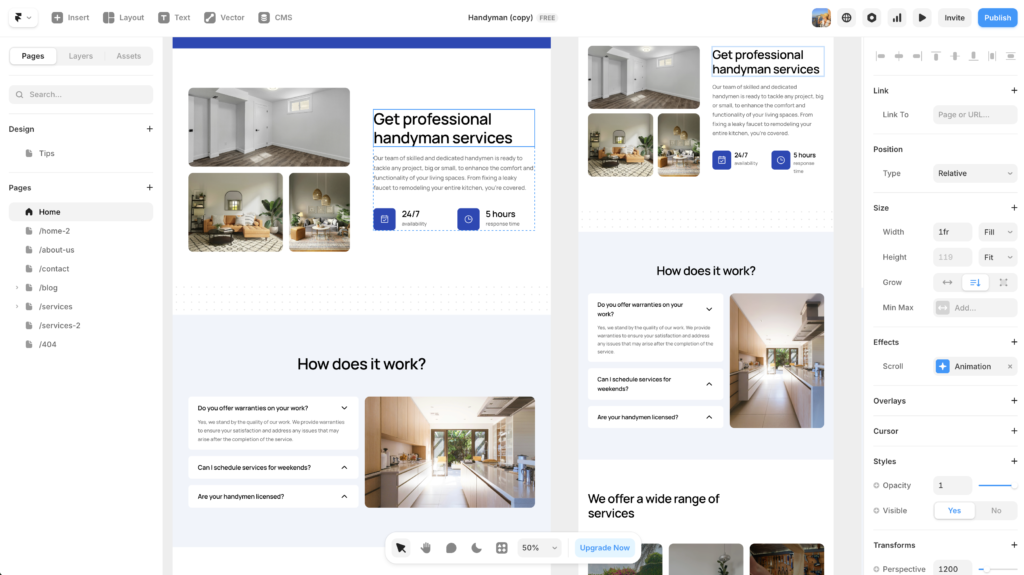
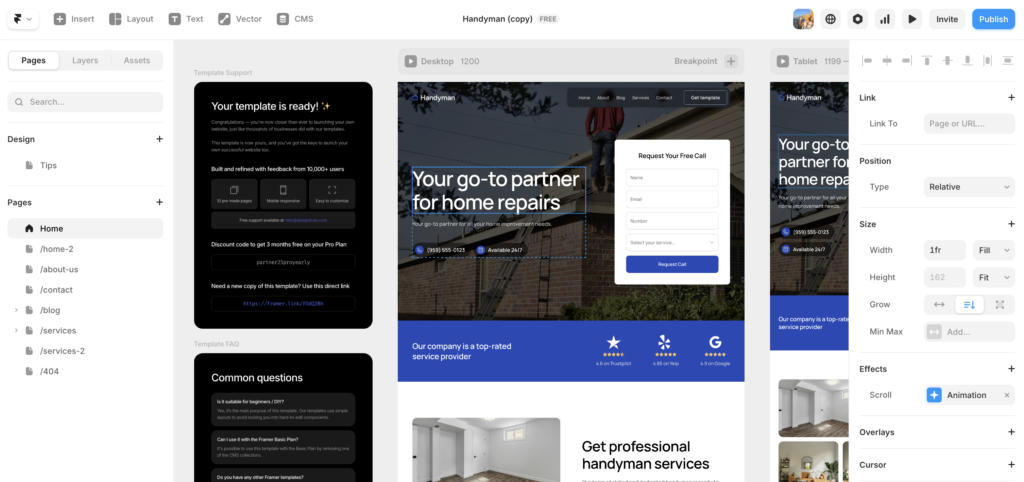
Framer starts from the opposite philosophy. The canvas is largely freeform. You design what you want, place it where you want, and the platform generates a live site from that. The result can look genuinely distinctive in a way that Squarespace templates rarely match. However, you need to know what good looks like to use that freedom well. An undirected freeform canvas produces mediocre results just as easily as it produces great ones.
Neither platform is objectively better in the framer vs squarespace debate. They are optimised for different situations, and the right choice depends on which situation you are actually in.
Framer vs Squarespace: The Key Differences
Design and Customization
Framer gives you close to pixel-level control over layout, typography, animation, and interactions. If you have a clear visual direction and want the site to reflect it precisely, Framer is built for exactly that. Based on testing both platforms across different project types, Framer consistently produces more visually distinctive results when the person using it has a design sense to bring to it.
Squarespace gives you less flexibility but considerably more guidance. The templates are genuinely well-designed by professional designers, and the section-based editor keeps alignment and spacing consistent without requiring design decisions at every step. For most small business sites, Squarespace’s design ceiling is not actually a constraint you will hit. The templates are polished enough that working within them produces results that most businesses would be proud of.
If visual distinctiveness is not a priority and the site just needs to look professional and trustworthy, Squarespace handles that reliably. If the way the site looks is part of how your business competes, Framer is the stronger tool.
Ease of Use and Learning Curve
Squarespace wins this category. The editor is intuitive enough that a first-time user with no prior website building experience can produce something professional-looking in an afternoon. The onboarding is guided, the template system gives you a strong starting point, and the design guardrails mean it is genuinely difficult to produce something that looks broken.
Framer has improved significantly in this area. Its AI tools can generate a starter layout from a text prompt, which removes the blank canvas problem that put off many non-designers. That said, framer vs squarespace on ease of use still tilts clearly toward Squarespace. Understanding Framer’s component system, breakpoints, and layout logic takes time. It is faster to learn than Webflow, but it is not as immediately accessible as Squarespace.
For more on where Framer sits in the wider builder landscape, the Framer vs Webflow comparison covers the design and CMS differences in detail.
Ecommerce and Business Features
This is where framer vs squarespace becomes a clear decision for a lot of businesses. Squarespace has comprehensive ecommerce built into every paid plan: inventory management, shipping integrations, payment processing, abandoned cart recovery, subscription products, and an appointment booking system via Acuity Scheduling. It is a genuinely capable platform for running an online business, not just displaying one.
Framer’s ecommerce capability in 2026 is limited. You can connect Stripe for simple transactions and set up basic product pages, but there is no native inventory management, no shipping tools, and no built-in booking. For businesses that sell more than a handful of products or need operational ecommerce features, Framer is not ready to carry that load. If selling online is central to your business model, Squarespace is the practical choice in this comparison.
For service businesses that just need a contact form, a clear service page, and an inquiry funnel, the ecommerce gap does not matter. Both platforms handle that equally well.

SEO
Both platforms produce SEO-capable sites. Framer generates clean, fast code and scores well on Core Web Vitals, which matters for search rankings. Squarespace has solid built-in SEO tools including meta field editing, structured data support, and sitemap generation. In practice, neither platform gives you a meaningful SEO advantage over the other for most small business sites. Content quality and internal link structure matter far more than which builder you use.
Pricing
Framer starts free. Paid plans run from around $5 per month for a basic published site to $20 per month for a custom domain with full CMS access. In the framer vs squarespace pricing comparison, Framer is the more accessible entry point, particularly for small or early-stage businesses that want to test a site before committing to a monthly bill.
Squarespace starts at $16 per month with no free plan, though the 14-day trial is generous. For businesses that need built-in ecommerce, the Squarespace pricing is reasonable given how much is included in the base plan. If you compare the cost of Squarespace against Framer plus third-party tools to replicate Squarespace’s business features, the gap narrows considerably.
Framer vs Squarespace Compared
Here is how framer vs squarespace stacks up across the factors that matter most for small business decisions.
| Framer | Squarespace | |
|---|---|---|
| Best For | Brand-led, visually distinctive sites | Businesses needing operational depth |
| Learning Curve | Medium | Low |
| Design Control | ★★★★★ | ★★★ |
| Ecommerce | Basic (Stripe only) | Full (built-in, all plans) |
| Starting Price | Free / $20/mo | $16/mo |
| Free Plan | ✓ | ✗ (14-day trial) |
| Built-in Blog / CMS | ✓ | ✓ |
| AI Tools | ✓ (layout and copy generation) | ✓ (Blueprint AI) |
Who Should Choose Framer
Choose Framer when the visual identity of your business is genuinely part of how you compete. Consultants, studios, agencies, photographers, designers, and any service business where the first impression carries significant weight will benefit from what Framer makes possible. In the framer vs squarespace choice, Framer is for situations where you want the site to signal quality before anyone reads a single word of copy.
It also works well for single-service businesses and landing pages where Squarespace’s operational complexity is unnecessary overhead. A brand consultant, an independent designer, or a specialist service provider who wants a site that looks distinctive and will take the time to learn Framer’s layout system will find the investment worthwhile.
The framer vs squarespace decision also tilts toward Framer if you want to use AI to get a site live quickly. Framer’s built-in AI generates starter layouts, copy suggestions, and imagery from a brief, which gives non-designers a genuine starting point rather than a blank canvas. Try Framer free and see what the AI tools produce from your business description before committing to a paid plan.
For a deeper look at how Framer handles more complex builds, the Framer AI review covers the AI tools, CMS, and real-world performance in detail.
Who Should Choose Squarespace
Choose Squarespace when your business needs operational features that a design-first tool is not built to carry. Restaurants, retailers, service providers who take bookings, content-heavy businesses, and anyone selling physical or digital products will find Squarespace more capable where it matters. In the framer vs squarespace comparison, Squarespace is the choice when the website needs to do more than look good.
Squarespace is also the right call when the person maintaining the site after launch is not a designer and is not going to become one. The structured editor and section-based layout system protect non-technical users from producing broken or misaligned pages. Those guardrails are a feature, not a constraint, for businesses without ongoing design support.
If you are choosing between Squarespace and other established builders at this price point, the Wix vs Squarespace comparison covers where Squarespace pulls ahead and where Wix has the edge.
The framer vs squarespace question also resolves toward Squarespace when budget predictability matters. Squarespace’s pricing includes hosting, security, and most of the features a small business needs in a flat monthly rate. With Framer, a simple site is affordable, but adding third-party tools to replicate Squarespace’s business features adds up quickly.
Framer vs Squarespace: The Verdict
The framer vs squarespace decision is not really about which platform is better. It is about which one is right for the specific situation. Most of the existing comparisons online get this wrong by defaulting to a skill-level framework. In practice, the right question is: what does this site need to do, and who will be taking care of it?
If the answer is that the site needs to look distinctive and you have either the design sense or the willingness to learn Framer’s system, Framer will produce a better result. If the answer is that the site needs to run a real business operation and be maintained by a non-designer, Squarespace is the more practical choice.
Neither platform is a compromise. They are both excellent at what they are designed for. The framer vs squarespace choice only feels difficult when you are trying to pick the objectively better tool rather than the right one for your situation.
If you are still not sure which way to go, it is worth reading this overview of the best website builders for small business to see how both platforms sit alongside the other options.
Frequently Asked Questions
These are the questions that come up most often when people are working through the framer vs squarespace decision.
Is framer vs squarespace a close comparison?
Closer than it used to be. Framer has improved its ease of use substantially over the past two years, and Squarespace has added design flexibility with its Fluid Engine editor. However, they are still built around different philosophies. Framer is design-first and freeform. Squarespace is structure-first and operational. For most small businesses, the choice between them comes down to what the site needs to do rather than which platform is technically superior.
Which is cheaper, Framer or Squarespace?
Framer is cheaper at the entry level. It offers a free plan for a single site with Framer branding, and paid plans start from around $5 per month. Squarespace starts at $16 per month with no free option, though the 14-day trial lets you build a full site before paying. For businesses that need ecommerce or advanced business features, the framer vs squarespace pricing comparison becomes more nuanced because you may need third-party tools with Framer that Squarespace includes natively.
Can I use Framer for ecommerce?
In a limited way. Framer supports Stripe integrations and basic product pages, which works for selling a small number of digital products or services. However, Framer does not have native inventory management, shipping tools, or the kind of ecommerce infrastructure Squarespace includes. If ecommerce is a significant part of your business, Squarespace is the more practical platform in the framer vs squarespace comparison.
Is Framer harder to use than Squarespace?
Yes, though the gap has narrowed. Squarespace’s editor is one of the most intuitive in the market. Framer requires understanding how its component system, layout logic, and breakpoints work, which takes time even for experienced users. That said, Framer’s AI tools have significantly reduced the blank canvas problem for non-designers. If you have used Figma or any design tool before, Framer will feel more familiar than it would have two years ago.
Which is better for SEO, Framer or Squarespace?
Both platforms are capable of strong SEO performance. Framer generates fast, clean code that scores well on Core Web Vitals. Squarespace has solid built-in SEO tools and structured data support. In practice, neither platform gives you a meaningful ranking advantage over the other. Content quality, internal linking, and page structure matter far more than which builder you use. The framer vs squarespace SEO comparison is a tie for most small business sites.
The Bottom Line
The framer vs squarespace comparison comes down to one question: does your site need to look genuinely distinctive, or does it need to run a real business operation? If the answer is the former, Framer is the stronger platform. If the answer is the latter, Squarespace is the more practical choice. Both are worth the time it takes to try before you commit.
If Framer is the direction you are heading, Try Framer free and get a feel for the builder before spending anything. If you are still weighing your options, the Framer vs Webflow breakdown will help you understand where Framer sits against the other design-first builders on the market.
This article contains affiliate links. If you purchase through our links we may earn a small commission at no extra cost to you. We only recommend tools we have personally used or thoroughly researched.