Choosing the best website builder for a service business is not the same decision as choosing one for a shop, a blogger, or a portfolio. A service business website has one job: turn a visitor into a booked client. That means your builder needs to handle scheduling, contact forms, local SEO, and mobile performance without requiring you to become a web developer to make it work.
I have spent 15 years as a web designer, and I am currently rebuilding a pediatric dentistry website where the original site had every page stuffed with information and zero clear path for a new patient to actually book an appointment. The builder and the structure were working against the business, not for it. That experience — and years of similar client work — shapes every recommendation in this post.
Here is what the best website builder for service business actually needs to do: make it easy for someone to find you, understand what you offer, and contact or book you in under two minutes. If a builder creates friction anywhere in that path, it is the wrong choice regardless of how good the templates look.
The Short Version
The best website builder for a service business in 2026 is Wix for most businesses, WordPress for those who need serious SEO horsepower, and Squarespace for businesses that just need a clean, professional presence without heavy functionality. The builder you choose matters less than getting the structure right. A poorly structured site on the best platform will still fail to convert.
What Makes a Website Builder Right for Service Businesses
Service businesses are not selling products. They are selling trust, availability, and expertise. That changes what your website needs to do and, as a result, what your builder needs to provide.
Most builders do a decent job of helping you publish pages. Far fewer make it easy to build a site that actually converts visitors into clients. From working on real service business websites, here is what separates a builder that works from one that just looks like it should work.
Built-in booking and contact tools
A service business lives and dies by appointments and enquiries. Your builder should make it straightforward to add a booking system, a contact form, and a clear call-to-action without needing to stitch together five third-party plugins. When that functionality is native to the platform, it is easier to style consistently, easier to maintain, and far more reliable for someone who is not a developer.
If a potential client hits your homepage at 10pm and wants to request an appointment, they should be able to do that in under two minutes without calling anyone. If your builder makes that hard to set up, it is the wrong builder for your business.
SEO fundamentals that do not require a developer
Local service businesses depend on search. If someone searches “pediatric dentist in [city]” or “HVAC repair near me,” your site needs a fighting chance of appearing. That means the builder must allow clean title tags, meta descriptions, schema markup, and fast page load times without requiring plugin configuration or developer access.
Some builders handle this well out of the box. Others make basic SEO edits frustratingly difficult, or generate bloated code that tanks your load speed. For a service business, either of those problems costs you real leads.
Design flexibility without overwhelming complexity
You do not need unlimited design freedom. You need enough control to represent your brand clearly and structure your pages in a way that guides visitors toward the action you want them to take. Builders that are too locked down make it hard to lay out a homepage the way it should be laid out. Builders that are too open-ended overwhelm business owners who just need something that works.
The best website builder for service business hits the middle ground: enough flexibility to do things properly, enough guidance that a non-designer can still build something that converts.
The Best Website Builder for Service Business: Top Picks
Based on years of client work across healthcare, real estate, and local service businesses, here are the three builders that consistently deliver for service-based businesses and the specific situations where each one makes the most sense.
Wix: Best for Most Service Businesses
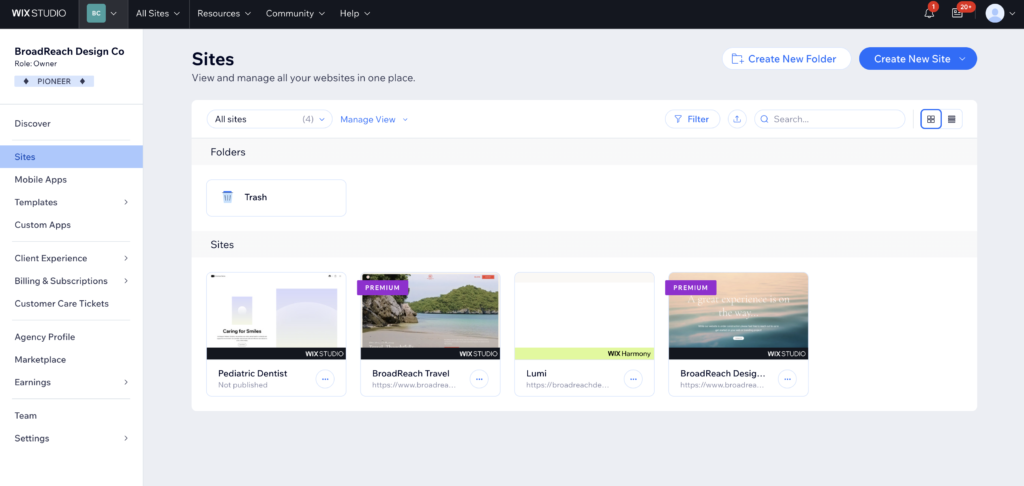
Wix is my primary recommendation as the best website builder for a service business that wants the right balance of flexibility, built-in tools, and approachability. It is the platform I use in production for real client sites, and it holds up.
What makes Wix work for service businesses specifically is that the core functionality you need — booking, forms, payments, and a basic CRM — is either built in or available through Wix’s own app ecosystem without requiring you to manage third-party plugin compatibility. Wix Bookings, for example, handles scheduling, online payments, and appointment reminders in one integrated system. You do not need to wire up Calendly to a contact form to a payment gateway and hope it all talks to each other.
On the design side, Wix gives you enough control to build a properly structured service page without needing to know how to code. You can place a booking button exactly where it needs to go, add a contact section above the fold, and lay out a services section in a way that communicates value quickly. That structural control matters because most service business websites fail not because of poor design, but because information is in the wrong place and the path to contact is unclear.
The SEO tools in Wix are solid for most service businesses. Title tags, meta descriptions, alt text, structured data for local businesses, and a clean sitemap are all manageable without a developer. For a local plumber, a consulting firm, or a healthcare practice that is not trying to dominate national search rankings, Wix’s SEO capabilities are more than adequate.
Where Wix has limits: if your business strategy is heavily dependent on a high-volume blog driving organic traffic, Wix’s blogging tools are functional but not exceptional. And if you are in a highly competitive search market where every technical SEO advantage matters, you will eventually feel constrained. For those situations, WordPress is the better long-term call.
Wix pricing starts at around $17 per month for the Light plan, with the Core plan at $29 per month being the practical starting point for most service businesses because it includes the ability to accept payments. See how Wix compares to Squarespace if you are weighing those two options.
Best for: local service businesses, healthcare practices, consultants, home services, salons, fitness studios, and any business that needs booking and contact tools alongside a professional site.
WordPress: Best for Service Businesses That Need SEO Muscle
WordPress is the most powerful and flexible platform available, and if your business strategy depends on ranking highly in search results, it is the right choice. There is a reason it powers over 42% of all websites globally and why most serious content-driven businesses end up on it eventually.
For a service business with an active blog, a competitive local market, or complex content needs, WordPress combined with a solid theme and the right plugins gives you capabilities that hosted builders simply cannot match. Full control over your code, server configuration, caching, and technical SEO means the ceiling is much higher.
However, WordPress comes with real operational overhead that is worth understanding before you commit. Plugins need to be updated. Backups need to be managed. Security vulnerabilities need to be patched. If you are a solo business owner who just wants a site that works without ongoing maintenance, that is a genuine burden. It is not the kind of thing that breaks your site immediately if ignored, but it does compound over time into security risks and compatibility issues.
The other thing worth knowing is that WordPress requires more upfront setup to get to the same starting point as Wix. A Wix site with Wix Bookings is functional in a day. A WordPress site with WooCommerce, a booking plugin, and a properly configured SEO setup takes longer to get right, and typically benefits from either a developer or a designer who knows the platform.
WordPress is not the best website builder for service business owners who want to manage their own site without technical support. It is the right choice for businesses that have the resources or the expertise to manage it properly, and where SEO is a serious growth channel.
Best for: service businesses running content-heavy blogs, businesses in competitive search markets, and owners who are comfortable with the technical side of site management or have someone on staff or on retainer who is.
Squarespace: Best for Simple, Polished Presence
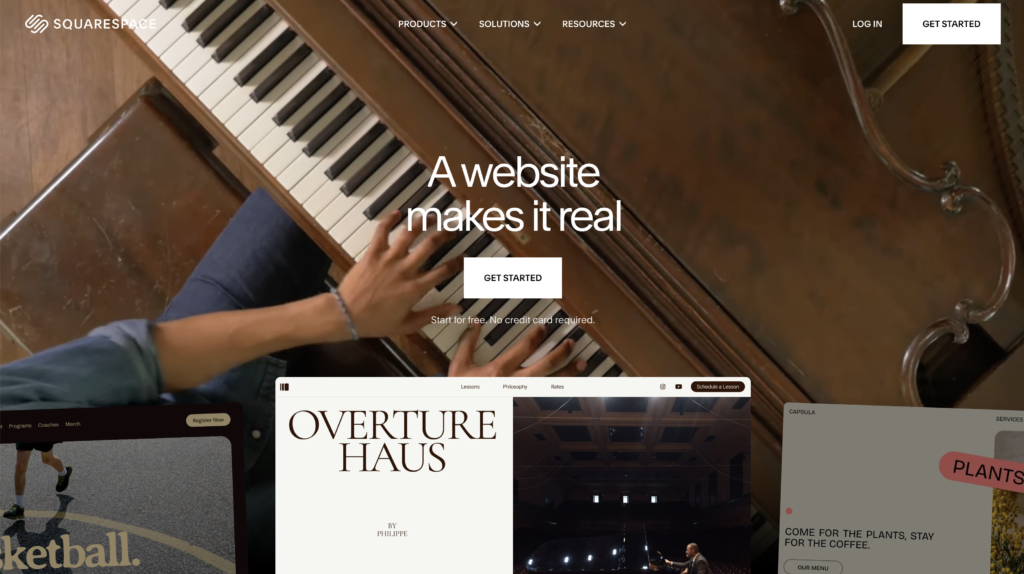
Squarespace occupies a specific and useful niche: it is the right builder for service businesses that need a professional, well-designed website but do not require heavy functionality or advanced SEO. If you are a photographer, a solo consultant, a coach, or a creative professional who needs a clean presence that looks expensive without spending hours on it, Squarespace delivers that better than almost anything else.
The templates are genuinely beautiful, and the platform keeps things simple enough that most business owners can manage their own content without help. Squarespace’s Acuity scheduling integration handles booking reasonably well for lower-volume needs, but it is a separate paid add-on starting at $16 per month on top of your Squarespace subscription.
Where Squarespace falls short for service businesses with more complex needs: it is less flexible than Wix on layout and structure, and its SEO tools are more limited. If you want to do something specific with your homepage layout that the template does not support, you will often hit a wall. And if you need to rank for competitive local keywords, Squarespace is not where you want to be long-term.
Best for: photographers, solo creatives, coaches, consultants, and service businesses where aesthetics matter and functionality requirements are straightforward. See how Squarespace compares to Framer if design quality is your top priority.
Why Most Service Business Websites Fail (It Is Not the Builder)
Here is something I tell clients before we discuss platforms: the builder is the last decision, not the first. Most service business websites that do not convert have the same underlying problem — information in the wrong place, no clear path to action, and no understanding of how a potential customer actually moves through a site.
I am currently redesigning a pediatric dentistry website that is a near-perfect example of this. The original site had an enormous amount of content covering every service, every staff member, and every policy. But a new patient visiting the site for the first time could not figure out how to submit a new patient request, where to find forms, or even what the practice specialised in. The information was all there. The structure was not.
When I sat down with the client, they said they wanted a refresh because the site looked dated. What they actually needed was a restructure: consolidating information into clearer pages, adding explicit paths for new patients versus returning patients, and placing contact and booking prompts at every logical decision point in the user journey. The site now makes it clear who it serves, what its specialties are, and exactly how to take the next step. Current patients can pay their bill or book a visit in seconds. New patients have a direct path to submit their information.
None of that required a new builder. It required rethinking the structure.
The most common mistake service businesses make on their websites is treating them like brochures rather than conversion tools. A website should be able to book a client at 10pm on a Sunday without anyone from your business having to be involved.
The builder you choose affects how easy or hard it is to build that structure. But no builder does the structural thinking for you. That is why choosing the right platform for your needs matters: a builder that limits your layout flexibility or buries its booking tools behind a confusing setup process will make good structure harder to achieve, especially if you are building the site yourself.
For a deeper look at what separates websites that convert from ones that just exist, see why your website is not getting leads.
Best Website Builder for Service Business: Quick Comparison
| Builder | Best For | Booking Tools | SEO Capability | Ease of Use |
|---|---|---|---|---|
| Wix | Most service businesses | ✓ Native (Wix Bookings) | Good | High |
| WordPress | SEO-driven businesses | ✓ Via plugins | Excellent | Medium |
| Squarespace | Simple polished presence | ✓ Via Acuity (paid) | Adequate | High |
Frequently Asked Questions: Best Website Builder for Service Business
What is the best website builder for a service business?
For most service businesses, Wix is the best website builder for service business needs because it combines design flexibility with native booking, scheduling, and contact tools that do not require third-party integrations. WordPress is the better choice if search visibility is a primary growth channel. Squarespace suits businesses that need a clean, professional presence without complex functionality.
Do I need a booking system on my service business website?
Yes, for most service businesses, online booking is directly tied to conversion rate. If a potential client cannot book or contact you immediately when they land on your site, many of them will leave and find a competitor who makes it easier. The best builders for service businesses either include booking natively (Wix Bookings) or integrate cleanly with dedicated scheduling tools.
Is Wix good for service businesses?
Yes. Wix is particularly well suited for service businesses because of its built-in booking system, form tools, local SEO capabilities, and the design flexibility to structure pages so visitors have a clear path to contact. It is the platform used in production across multiple client service business sites, and it handles the combination of design quality and business functionality better than most alternatives at this price point.
Is WordPress too complicated for a small service business?
It depends on your technical comfort level and whether you have help. WordPress is genuinely more powerful than hosted builders, but it comes with real maintenance requirements: plugin updates, backups, and security patching are ongoing tasks. For a solo business owner who wants to manage their own site without technical support, Wix is a better starting point. For a business with a developer or designer on retainer, or one where SEO is a serious growth channel, WordPress is worth the added complexity.
What should a service business website include?
At minimum, a service business website needs: a homepage that communicates who you serve and what you do within the first few seconds, a services or solutions page that addresses specific client needs, a clear way to contact or book immediately, trust signals such as reviews or credentials, and fast load times on mobile. The biggest mistake is treating the site as a digital brochure and burying the booking or contact option rather than making it the obvious next step on every page.
How much does it cost to build a service business website?
DIY on a hosted builder like Wix typically runs $17 to $49 per month depending on the plan. Hiring a designer to build on Wix or Squarespace adds a one-time cost that varies significantly by project scope. A WordPress site with proper setup typically costs more upfront in either developer time or hosting configuration, plus ongoing maintenance costs. For most small service businesses, a well-structured DIY Wix site on a mid-tier plan outperforms a poorly structured custom site built by someone who does not understand conversion.
The Bottom Line
The best website builder for service business use is the one that makes it easiest to convert visitors into booked clients, given your specific business context and technical comfort level. For most service businesses, that is Wix. For SEO-heavy strategies, WordPress. For simple, polished presence, Squarespace.
But the builder is only half the equation. The structure of your site matters more than the platform it is built on. A site that makes it obvious who you serve, what you do, and how to book in under two minutes will outperform a beautifully designed site that buries that information every time.
If you are evaluating options and want a broader view, see the full best website builders for small businesses comparison for more context on how these platforms stack up across different use cases.
This article contains affiliate links. If you purchase through our links we may earn a small commission at no extra cost to you. We only recommend tools we have personally used or thoroughly researched.